




Band-in-a-Box 2012 for Windows
Band-in-a-Box 2012 for Windows® is here with over 50 cool new features!
We’ve been busy and just added some great new features and new RealTracks to Band-in-a-Box! Band-in-a-Box 2011 and 2011.5 delivered over 100 new features, and 202 new RealTracks – now Band-in-a-Box Version 2012 adds 101 more RealTracks and over 50 exciting new features!
We've just released 101 more amazing RealTracks for Jazz, Rock-Pop & Country. Since version 2011, there are 202 more RealTracks available. Combined, there are now over 870 RealTracks (hundreds of hours of recordings) available for you to add to your arrangements.
We’ve added VST synth support for each track, so you can have multiple synths playing on your songs. You can also use VST Audio Plug-ins (reverb, delay etc.) on each track. Customize over 150 of the Guitar based RealTracks with the new Guitar Amp Simulator (AmpliTube CS). We include “Direct Input” (clean signal) Guitar RealTracks for these, so all of the added effects come from the Guitar Amp Simulator. Listen to our Band-in-a-Box AmpliTube Demos.
We’ve added “Loops” support, so you can add your own, or 3rd party loops to any Band-in-a-Box track. The “BB Remote” app for iPhone, iPad, Android has been updated with new features. There’s a Simpler RealTracks setting that makes the RealTracks play a less busy or embellished arrangement. You can add MIDITracks individually now, simply select your favorite MIDITrack from any style to any track of your current song. EZ selection of “DrumGrooves” has been added, which are different grooves within drum styles. And more…
We’ve also added 101 NEW RealTracks (Sets 137-154), with amazing Jazz, Pop, and Country Styles. These include:
- Jazz RealTracks: Dixieland full band with tuba/ banjo and soloists, Jazz Funk (Jeff Lorber, Alex Al), Fusion Guitar soloing (Carlos Arellano), Bossa Organ and Piano (Mike LeDonne), Solo Guitar Accompaniment (Oliver Gannon).
- Country RealTracks: Pedal Steel Soloing (CMA winner Paul Franklin), 6 new guitar soloing and accompaniment RealTracks recorded by Nashville guitar legend Brent Mason, Praise And Worship “Promise” band, Drivin’ 8ths full band, Bluegrass Waltz
- Pop/Rock RealTracks: Texas Blues soloing and rhythm with guitar masters Sol Philcox and Brent Mason, Rock Piano (CMA winner John Jarvis), Soul (full band), Pop 16ths medium (full band), Pop Ballad 16ths (full band).
Plus Important Features added in version 2011.5 (released July 2011), including
- Mixer window, allowing you to quickly set volumes, panning, reverb, tone and patches.
- “BB Remote” an app for iPhone/iPad and Android for use with your desktop version of Band-in-a-Box 2011.5. BB Remote is a remote control to choose/play/mix songs on the desktop version.
- RealTracks enhancements, including support for Pedal Bass, a “Same But Different” feature smoother playing in waltzes and better pushes and more simple variations.
- “Web Demo” button, which plays a streaming demo from the web.
- 101 RealTracks, including:
- Jazz (Jazz Funk, Gypsy Jazz Waltz/Ballads, Organ soloing, and “no-bass” organ, NY Piano and Solo Accompaniment Guitar)
- Pop (Soul, Celtic Hornpipes/Slip jigs, Basses, Crossover, Pop Waltz)
- and Country (Pedal Steel soloing – Paul Franklin, Brent Mason Guitar, Praise and Worship Believe/Power, Country Swing Piano/Fiddle)
More details about the new features in: Band-in-a-Box 2012 | RealBand 2012 | Band-in-a-Box 2011.5 | RealBand 2011.5
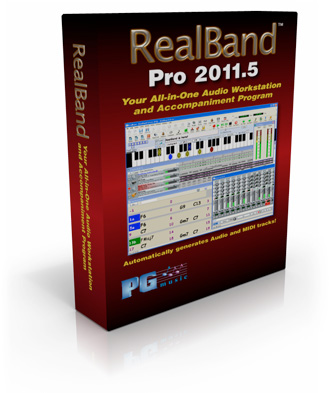
RealBand 2011.5 - cool new features and enhancements since 2011!
The JukeBox has been enhanced
The JukeBox has been improved with many new features...
- A list box contains individual songs instead of a having a memo field with a string of text.
- The list box identifies which song is the current or next song during playback.
- [Add to Play list] button adds a song after the currently highlighted song rather than always at the end of the list.
- RealBand automatically saves the JukeBox play list from the previous RealBand session.
You can also:
- Move a song up or down in the list.
- Add songs to play list during playback.
- Add a folder to the play list.
- Change which song is the next song during playback.
- Restart the JukeBox from the currently highlighted song, including during playback.
Audio and MIDI Volumes higher than 127
Frequently, when you are making a mix, adjusting a track's volume to the maximum still doesn't make the track loud enough relative to the other tracks. This means that you either have to apply a gain effect or reduce the other track's volumes, which is time consuming. We've added a simpler method, which is to allow settings higher than 127. Simply right-click on the volume slider, and enter a "Volume Boost" (from -24 to 24 dB), and this will apply to any audio track, or any MIDI track that uses a DXi or VSTi synth.
Support for using ASIO with multiple programs at once
Previously, if you were using an ASIO driver (so that you have low latency), you could only use ASIO with one program at a time. Now you can use multiple programs at once with ASIO - for example RealBand and Band-in-a-Box at the same time. This requires using the Steinberg® ASIO Multi-Client Wrapper.
More new features in RealBand 2011.5!
Tracks are "painted Red" during recording, to confirm that recording is occurring in the right place.
You can "freeze" a track, which prevents it from being regenerated by functions like re-generate all tracks, or the [BB] button. To do this, right click on the track and select, "Freeze track from Generation."
Default track type for new songs is now Audio, instead of MIDI. Since typical projects are mostly audio, this saves time setting the track types.
Copying and Moving selections is easier with Drag and Drop. You can drag and drop highlighted regions of a track by holding the Ctrl key and then dragging the region. When you drop to a new track (or the same track), a dialog appears with options to move or copy.
Video Help toolbar button added. This launches the RealBand videos webpage.
The Audio Edit window now shows events with background colors, and has a gray background instead of white.
Auto-hook-up to Coyote GM Wavetable MIDI synth when running RealBand for the 1st time: When the program is run for the first time, and the MIDI Driver Setup dialog is popped up, the Coyote WT, if present, will be automatically loaded into the default DXi Slot .
Support for loading frozen tracks from Band-in-a-Box MGU files has been added. When loading a Band-in-a-Box song, frozen MIDI, frozen RealTracks, and frozen RealDrums tracks are loaded into RealBand.
When loading in a new style, the tempo of the project will be changed to the typical tempo of the style.
Other GUI enhancements:
- The mouse scroll wheel in Tracks window will zoom in/out if hovering over the overview section. It will still scroll horizontally if hovering to the left of the overview section.
- Horizontal Scroll bar on Tracks win now redraws the window as you drag the scrollbar, not waiting until you lift the mouse.
Hotkeys added:
- Ctrl+NumPad Plus hotkey for "Zoom In" in the Tracks/AudioEdit window.
- Ctrl+NumPad Minus hotkey for "Zoom Out" in the Tracks/AudioEdit window.
- Shift NumPad Plus hotkey for "Zoom Selection" button in the Tracks/AudioEdit window
- Shift+NumPad Minus hotkey for "Zoom Whole" in Tracks/AudioEdit window
- Ctrl+Shift+N hotkey toggles through the notation modes of Notation window
Sticky buttons added
- Sticky buttons on the Tracks window like the [Snap], [L] (lock), and [Z-Whole] buttons will display font in bold when pressed in.
- Mixer F/X buttons will appear sticky "pushed in" if a Track strip, Aux strip, or Master strip has any non-blank F/X slots.
You can apply a custom color (foreground and background) to a track, or all tracks, using right-click menu items "Current Track Event Colors" and "Default Track Event Color Setup."
When playing audio via MME, and a track contains volume changes, these will be heard at the scheduled time rather than with a delay.
In the Chords window, a [Bar] button has been added on the top tool bar, to launch the Settings for Bar dialog.
Easier change of tempo when song has audio. Now, when you change tempo and the song has audio, the audio stretching happens without a confirmation dialog required. You can Undo the changes if you want to restore the original tempo.
In the Track menu the Merge command now has an option to "Always merge to audio."
"Auto-convert MIDI track to audio track" now has the ability to convert to the same track. This function is accessed by right-clicking on the Tracks window, and will convert a MIDI track to audio. Now it can keep the audio on the same track.
The program no longer needs to show a "checking soundcard" function when being used for the first time. This speeds up starting time.
No warning dialog is displayed if no MIDI Drivers are installed. A less intrusive yellow fly-by hint message displays instead.
[Reset Bar] and [Reset All Bars] buttons have been implemented in the Settings for Bar dialog (F5). Canceling the dialog will restore the original. These allow you to quickly remove settings that apply to the current bar or all bars.
Unconditional 30-Day Money Back Guarantee on all products purchased from PG Music Inc.
PG Music Inc.
29 Cadillac Ave Victoria BC Canada V8Z 1T3
Sales: 800-268-6272, 250-475-2874,+ 800-4746-8742*
* Outside USA & Canada where International Freephone service is available.
Access Codes
Tech Support: Live Chat, support@pgmusic.com



Q: How do I get the latest version of Band-in-a-Box?
A: We have packages for first-time or existing customers. Use the convenient chart to find the right package for you.
Q: If I purchase Band-in-a-Box, do I pay for shipping?
A: Band-in-a-Box is shipped for free.
 Online now
Need Help?
Customer Sales & Support
|
Phones 6am-7pm (Pacific Time) 1-800-268-6272 . 1-250-475-2874 |
||
| Live Chat | ||
| OPEN | Online Ordering 24/7 |
|
| OPEN | Forums, email, web support |
 Dansk
Dansk Deutsch - Windows
 Español
 Français - Windows
 Italiano - Windows
 Nederlands
 Polski
 Português
 Svenskt
 русский
 Japanese
 Simplified Chinese
 Traditional Chinese
 Korean