First keep reaching out to Matt - he's had his a lot longer than me.
I got mine this past summer at same time as a Montage7 - and that board has eaten up all my brain cells (fricking Yama just had to change how they do things just to change how they do things - almost wish I had just traded up to XF from XS instead- the Montage is really not meant for studio work, unless you like arcane menus and "hidden" gems and heartache, ok soap box off and - back to why I'm here [PS the Montage SOUNDS GREAT but...])
Bottom-line I haven't really spent much (almost no) time with my I7. But it's a Roland and not radically different than my Fantom XR or even XV-5080 in terms of how they do things "under the hood" - so I have no issue just "using it" for basic multi-timbral MIDI use.
Long winded way to get to here just to tell you:
check out "Roland Clans" (not really a site for shy noobs) but a lot of good info - BUT you have to dig it out (sometimes).
Also there is a guy over there, K_Take, that has written a FREE and MUCH better editor for the I7 than Roland's "late to the party for Windows 7 or 10 editor" or the one Roland has provided for the iPad from the start)
the Integra-7 sound editor site (link two up) tells you all you need to download the editor and what version of .Net Framework you need (that is a Microsoft set of "things" IT IS ALSO FREE info about .Net Framework is here (geeky stuff don't really have to know it. Besides, your PC is probably already at or above the .Net Framework needed anyway - if you've been doing all your updates.
Win10Pro,i9,64GB,2TBSSD+20TBHDDs,1080TI,BIAB'24,Scarlett18i8,Montage7,Fusion 8HD,QS8,Integra7,XV5080,QSR,SC-8850,SPLAT,FL21&others,Komp.14,IK suite&others, just a guitar player-AXE FX III &FM9T, FishmanTP, MIDIGuitar2, GK2/3'sw/GI20
Yea I did a mini hi-jack after Charlie gave you kudo's for helping getting his I7 going with BIAB and you responding with "still here if you need it"
in retrospect I should have PM'ed Charlie with that info
Larry
Win10Pro,i9,64GB,2TBSSD+20TBHDDs,1080TI,BIAB'24,Scarlett18i8,Montage7,Fusion 8HD,QS8,Integra7,XV5080,QSR,SC-8850,SPLAT,FL21&others,Komp.14,IK suite&others, just a guitar player-AXE FX III &FM9T, FishmanTP, MIDIGuitar2, GK2/3'sw/GI20
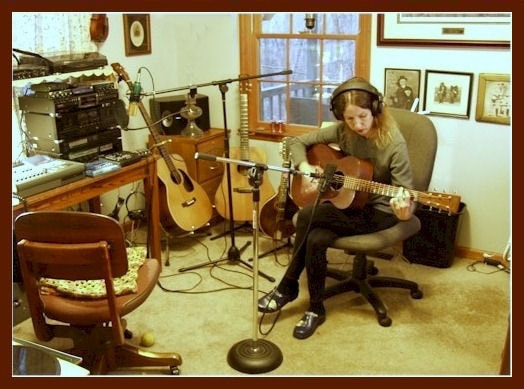
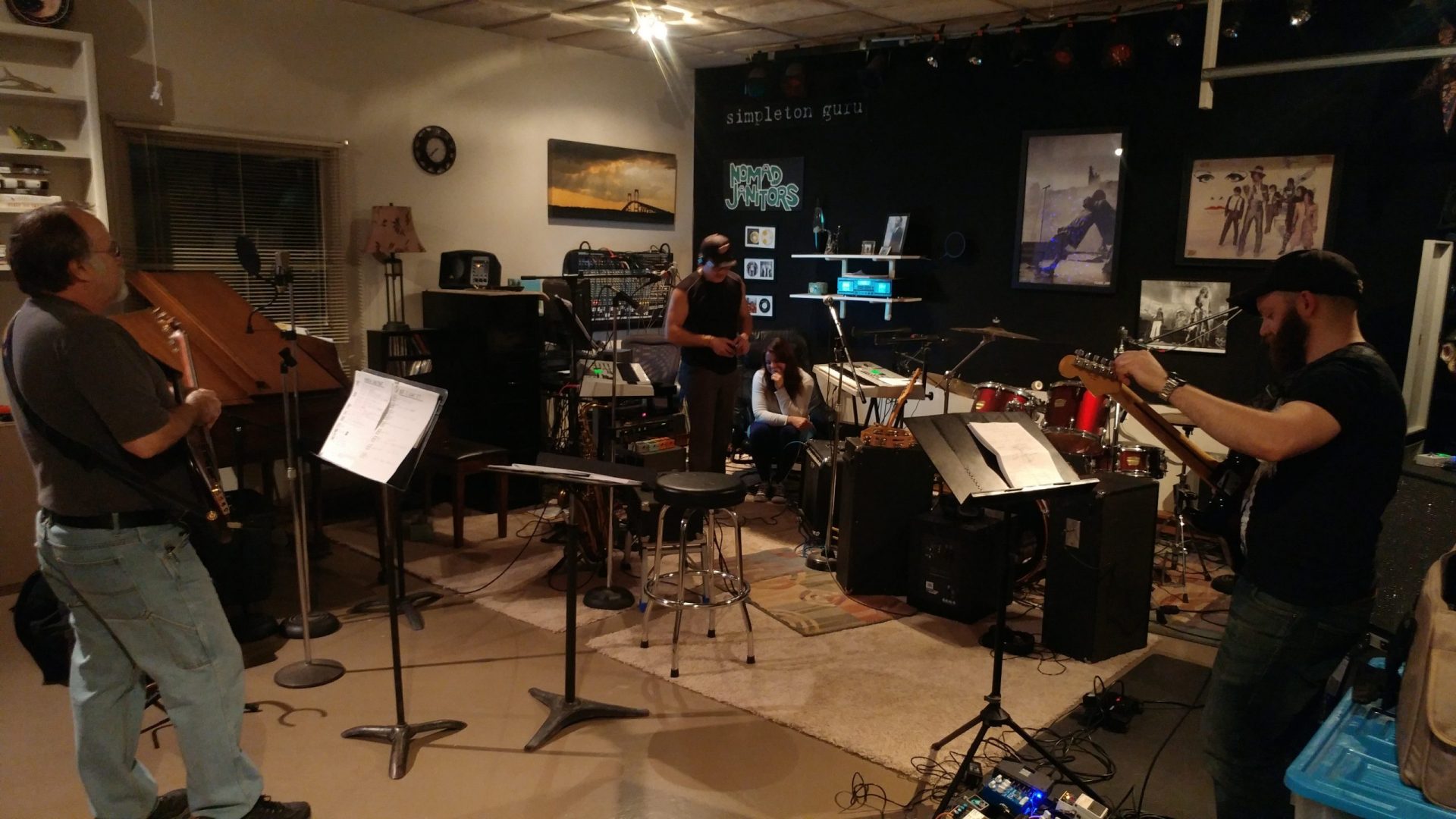
We had a studio of sorts 20 years ago as pictured but now it consists of two mics, an iMac, small KRK monitors and a USB interface...that's it -- replaced everything electronic in photo. Same room but a Bowflex occupies a lot of it along with the iMac, etc. The only real concession to the "studio" feel is the carpet...rest of the house has heart pine floors.
Our albums and singles are on Spotify, Apple Music, Amazon Music, YouTube Music, Pandora and more. If interested search on Janice Merritt. Thanks! Our Videos
Thank you for the comments Guitarhacker and Charlie Fogle.
Since purchasing BIAB and a keyboard controller I spend more time than is good for me here.
The panelling on the brick walls are DIY with 40mm Isoshield ceiling boards framed and mounted. Some carpeting on the back wall to knock down some reflections and heavy drapes over the windows.
The room was originally earmarked as a laundry. It took heavy convincing and delivered promises on alterations to water and electricity supply to keep the rest of my family happy with the arrangement.
With those activities completed, the studio/work room is used for its intended purposes of creating music.
Actually started using the new studio this past weekend. (In case you don't know, this particular studio has been 3 years coming). It was fun, but collateral cleanup is needed before posting more pics than below. There's a temporary shelving unit in front of the grand piano, the yamaha drums aren't mic'd or even completed for setup yet, but the 'heart' of it all got some actual work Saturday (image below).
The bundle of cords coming out of the mixer go to the Delta 1010. After this picture we connected up 6 more ins and had 8 tracks recording as expected in Realband. A couple drum mics, keyboards, vocals, bass all going to their own tracks. <grin>
I admit it was RB 2012 or so (Barry is way behind in updates on his system) but it worked. I can always take an external drive over and run RB from that if needed, or use one of my licenses for that machine... (worst case). But anyway, we were recording 8 tracks at a time in the new studio consistently, so the 'work' to get everything set up is almost done and the fun is beginning.
I do not work here, but the benefits are still awesome Make your sound your own!
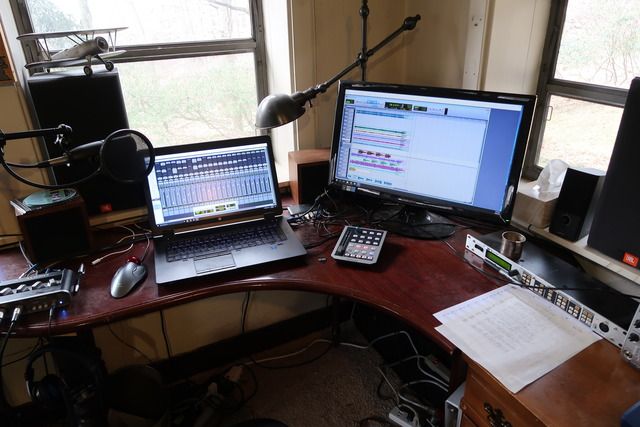
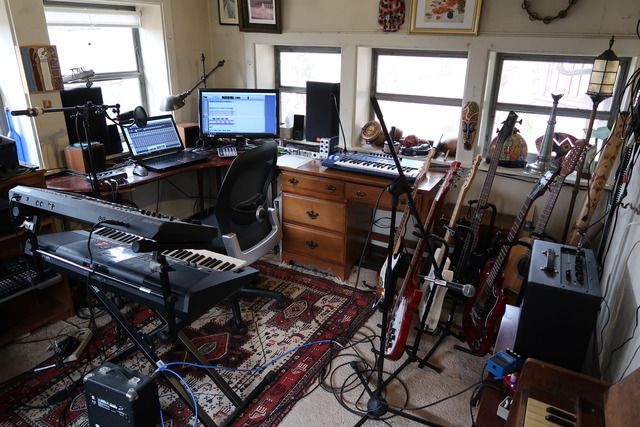
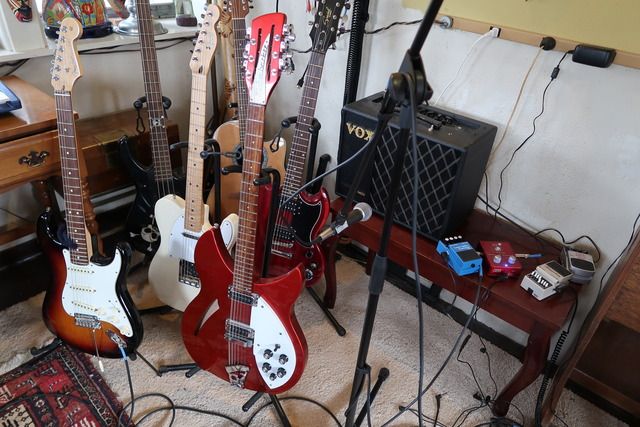
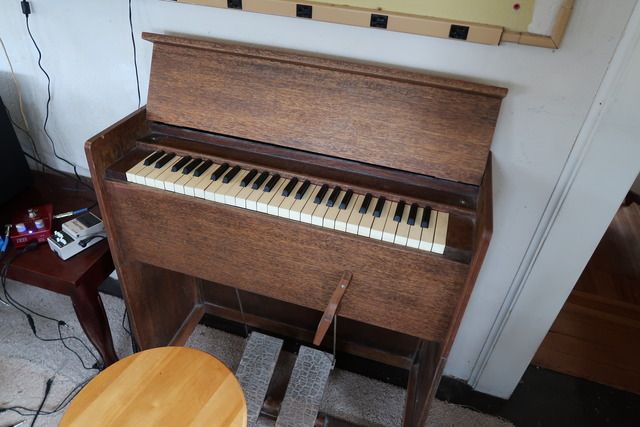
Here's my setup. I start with BB, RB for solo work, export to Pro Tools, overdub and mix to JBL monitors with a pair of ROR Soundcubes as backup. I can't tell if a mix is right till I hear it in my car. Final picture shows the antique pump organ I found at a yard sale. Yes, it has been used in a song.
BIAB & RB2026 Win.(Audiophile), Windows 10 Pro & Windows 11, Cakewalk Bandlab, Izotope Prod.Bundle, Roland RD-1000, Synthogy Ivory, Session Keys Grand S & Electric R, Kontakt, Focusrite 18i20, KetronSD2, NS40M, Pioneer Active Monitors.
PowerTracks 2026 is here—bringing powerful new enhancements designed to make your production workflow faster, smoother, and more intuitive than ever.
The enhanced Mixer now shows Track Type and Instrument icons for instant track recognition, while a new grid option simplifies editing views. Non-floating windows adopt a modern title bar style, replacing the legacy blue bar.
The Master Volume is now applied at the end of the audio chain for consistent levels and full-signal master effects.
Tablature now includes a “Save bends when saving XML” option for improved compatibility with PG Music tools. Plus, you can instantly match all track heights with a simple Ctrl-release after resizing, and Add2 chords from MGU/SGU files are now fully supported... and more!
Get started today—first-time packages start at just $49.
Already using PowerTracks Pro Audio? Upgrade for as little as $29 and enjoy the latest improvements!
Band-in-a-Box 2026 for Windows Special Offers End Tomorrow (January 15th, 2026) at 11:59 PM PST!
Time really is running out! Save up to 50% on Band-in-a-Box® 2026 for Windows® upgrades and receive a FREE Bonus PAK—only when you order by 11:59 PM PST on Thursday, January 15, 2026!
We've added many major new features and new content in a redesigned Band-in-a-Box® 2026 for Windows®!
Version 2026 introduces a modernized GUI redesign across the program, with updated toolbars, refreshed windows, smoother workflows, and a new Dark Mode option. There’s also a new side toolbar for quicker access to commonly used windows, and the new Multi-View feature lets you arrange multiple windows as layered panels without overlap, making it easier to customize your workspace.
Another exciting new addition is the new AI-Notes feature, which can transcribe polyphonic audio into MIDI. You can view the results in notation or play them back as MIDI, and choose whether to process an entire track or focus on specific parts like drums, bass, guitars/piano, or vocals. There's over 100 new features in Band-in-a-Box® 2026 for Windows®.
There's an amazing collection of new content too, including 202 RealTracks, new RealStyles, MIDI SuperTracks, Instrumental Studies, “Songs with Vocals” Artist Performance Sets, Playable RealTracks Set 5, two RealDrums Stems sets, XPro Styles PAK 10, Xtra Styles PAK 21, and much more!
Upgrade your Band-in-a-Box for Windows to save up to 50% on most Band-in-a-Box® 2026 upgrade packages!
Plus, when you order your Band-in-a-Box® 2026 upgrade during our special, you'll receive a Free Bonus PAK of exciting new add-ons.
If you need any help deciding which package is the best option for you, just let us know. We are here to help!
Band-in-a-Box® 2026 for Windows® Special Offers Extended Until January 15, 2026!
Good news! You still have time to upgrade to the latest version of Band-in-a-Box® for Windows® and save. Our Band-in-a-Box® 2026 for Windows® special now runs through January 15, 2025!
We've packed Band-in-a-Box® 2026 with major new features, enhancements, and an incredible lineup of new content! The program now sports a sleek, modern GUI redesign across the entire interface, including updated toolbars, refreshed windows, smoother workflows, a new dark mode option, and more. The brand-new side toolbar provides quicker access to key windows, while the new Multi-View feature lets you arrange multiple windows as layered panels without overlap, creating a flexible, clutter-free workspace. We have an amazing new “AI-Notes” feature. This transcribes polyphonic audio into MIDI so you can view it in notation or play it back as MIDI. You can process an entire track (all pitched instruments and drums) or focus on individual parts like drums, bass, guitars/piano, or vocals. There's an amazing collection of new content too, including 202 RealTracks, new RealStyles, MIDI SuperTracks, Instrumental Studies, “Songs with Vocals” Artist Performance Sets, Playable RealTracks Set 5, two RealDrums Stems sets, XPro Styles PAK 10, Xtra Styles PAK 21, and much more!
There are over 100 new features in Band-in-a-Box® 2026 for Windows®.
When you order purchase Band-in-a-Box® 2026 before 11:59 PM PST on January 15th, you'll also receive a Free Bonus PAK packed with exciting new add-ons.
Upgrade to Band-in-a-Box® 2026 for Windows® today! Check out the Band-in-a-Box® packages page for all the purchase options available.
Band-in-a-Box 2026 Video: The Newly Designed Piano Roll Window
In this video, we explore the updated Piano Roll, complete with a modernized look and exciting new features. You’ll see new filtering options that make it easy to focus on specific note groups, smoother and more intuitive note entry and editing, and enhanced options for zooming, looping, and more.
Band-in-a-Box 2026 Video: AI Stems & Notes - split polyphonic audio into instruments and transcribe
This video demonstrates how to use the new AI-Notes feature together with the AI-Stems splitter, allowing you to select an audio file and have it separated into individual stems while transcribing each one to its own MIDI track. AI-Notes converts polyphonic audio—either full mixes or individual instruments—into MIDI that you can view in notation or play back instantly.
One of our representatives will be happy to help you over the phone. Our hours of operation are from
6:00AM to 6:00PM PST (GMT -8) Monday thru Friday, and 8:00AM to 4:00PM PST Saturday. We are closed Sunday. You can also send us your questions via email.
One of our representatives will be happy to help you on our Live Chat or by email. Our hours of operation are from
6:00AM to 6:00PM PST (GMT -8) Monday thru Friday; 8:00AM to 4:00PM PST (GMT -8) Saturday; Closed Sunday.













 Dansk
Dansk Deutsch - Windows
 Español
 Français - Windows
 Italiano - Windows
 Nederlands
 Polski
 Português
 Svenskt
 русский
 Japanese
 Simplified Chinese
 Traditional Chinese
 Korean