So I got to wondering, since I've been active here for a few years now, and have heard some really nice mixes, just exactly what other BB user's studios look like.
I'll show you mine if you show me yours.
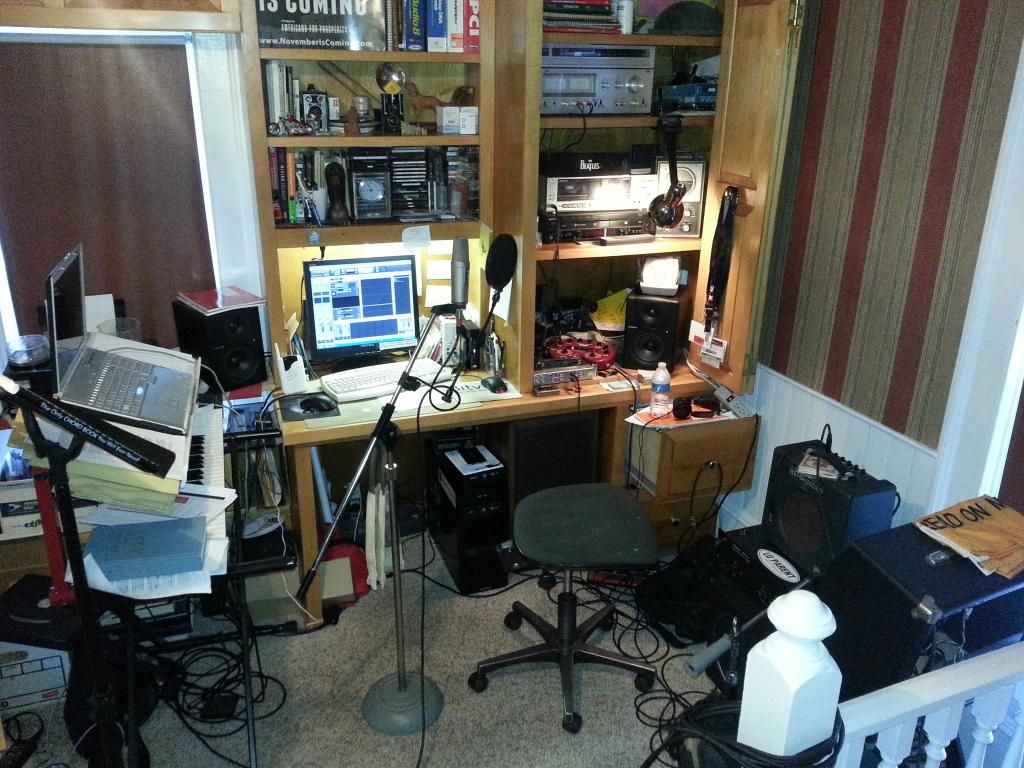
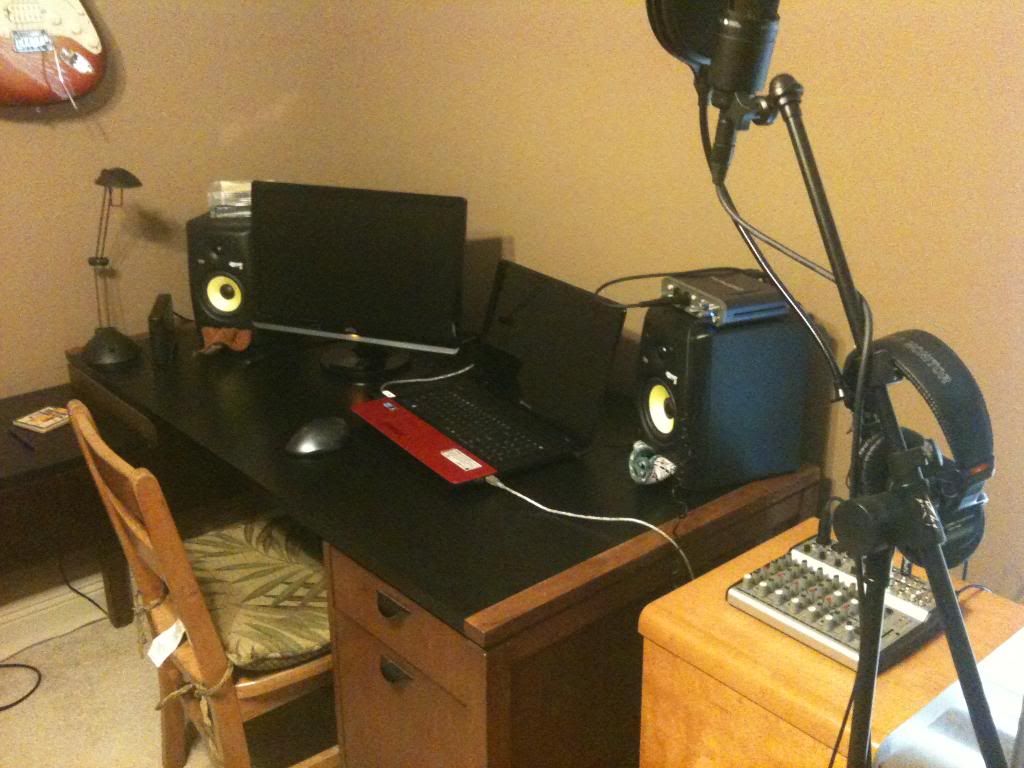
So here are some pics from my humble studio. It's essentially a corner in my upper room/ office.
My computer is a DAW that I custom built from parts about 4 years ago. i5 intel chip running XP-Pro. Several hard drives for storage and OS/apps. The CPU sets under the desk. On it I have an inexpensive DVD/CD writer and on that sets BB 2014.
Most everything is done in the box, with only a few things...vocals and guitar being either mic'd or direct.
My Yamaha DX-27S is on the left, and above it sets my laptop for internet and other musical purposes. Monitors are Mackie MR-5's. And yeah... I'm breaking all sorts of rules regarding the rules for placement of speakers..... and the laws of physics too, I'm sure. My one saving grace is that I added ARC to the system a few years back. If you operate in such a space as this, have a serious look at ARC.
The only sound treatment in this room are the furniture and the carpet. The ceiling is old square acoustic tile (12"x12") with the rest of the walls being sheetrock/plaster with wall paper....and no sound proofing what-so-ever. I can hear every truck on the road one block over. I try to time my audio takes between trucks and trains..and in the summer, week whackers and dogs.
Here is my humble work space. The one glaringly obvious thing missing is a lava lamp... Perhaps I can get one of those in the near future. I hear that having one on the monitor really improves the mix.
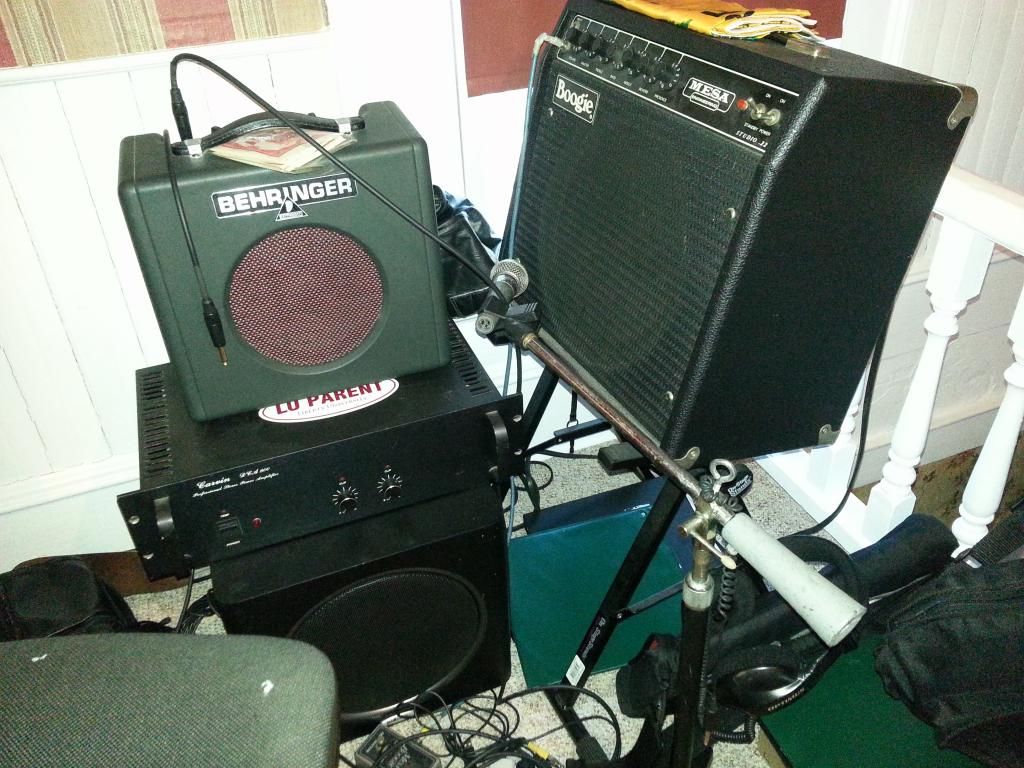
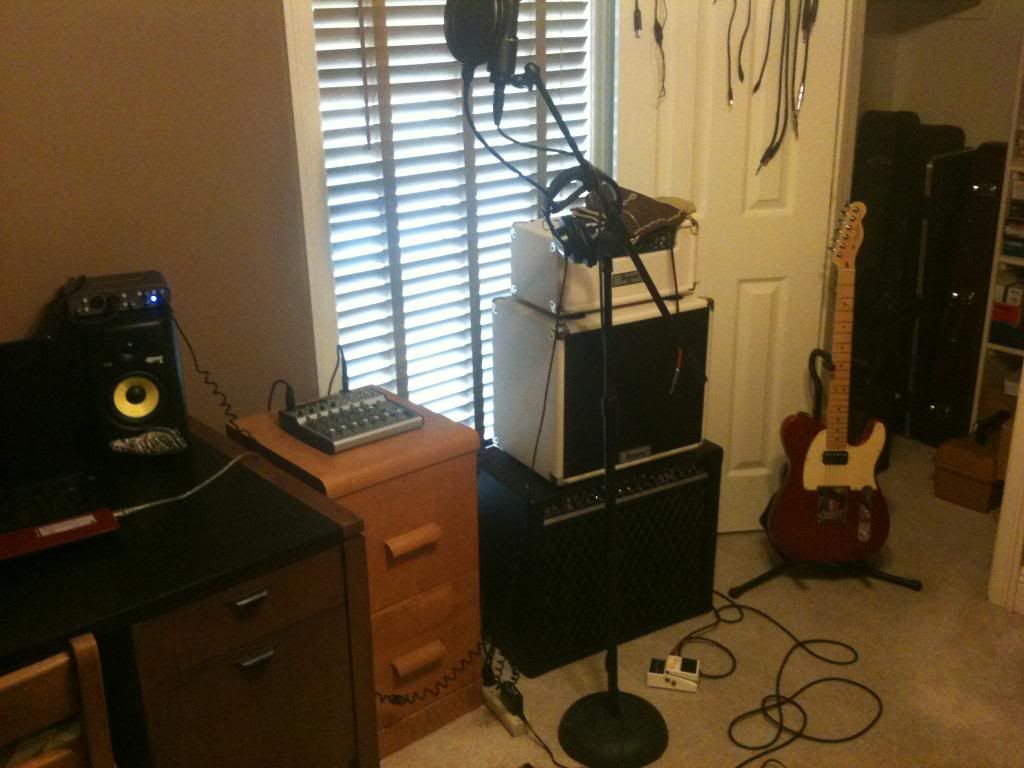
Guitar amps and the Polk sub.
Hope you enjoyed seeing my humble work space.....
Last edited by Guitarhacker; 01/17/1406:21 AM.
You can find my music at: www.herbhartley.com Add nothing that adds nothing to the music. You can make excuses or you can make progress but not both.
The magic you are looking for is in the work you are avoiding.
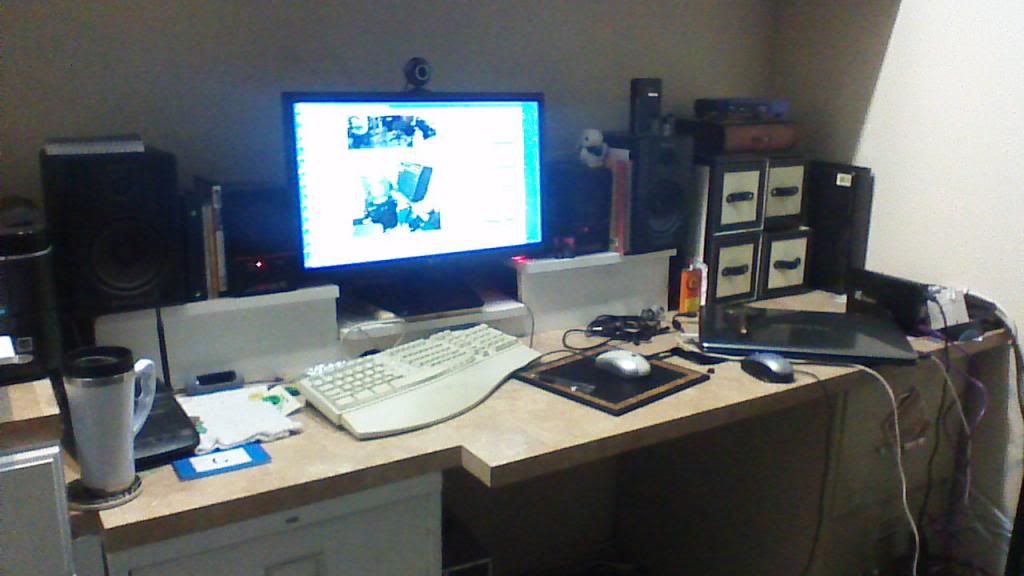
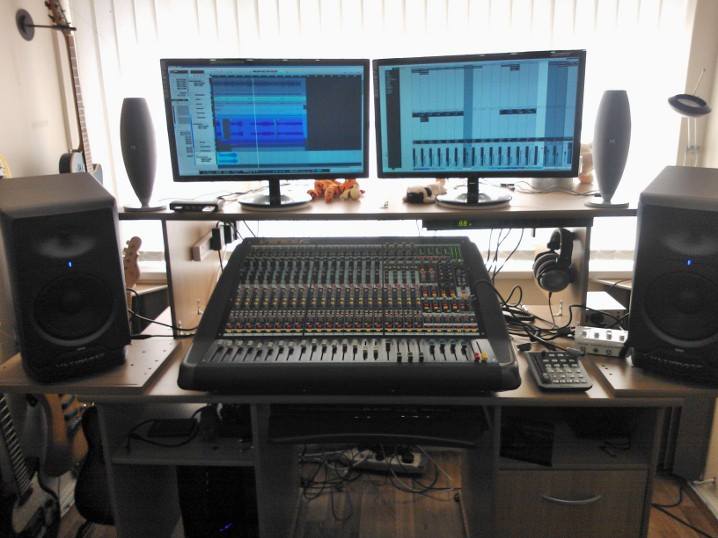
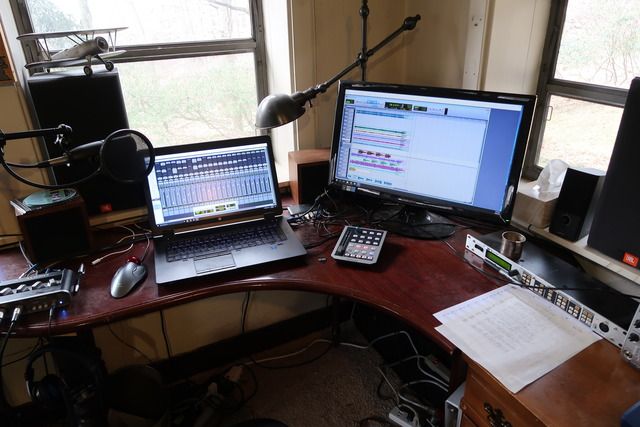
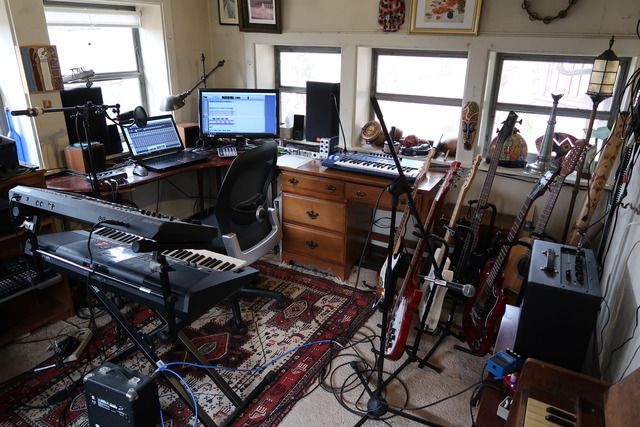
That is the main desk the screen is an image of Herb's studio, that screen is attached to my trusty old XP Pro studio i build a while back, on each side is my M-Audio B-5 monitors, and you can see the laptop that i use for live and also much recording now. The desktop has the old M-audio delta card in it, and the lappy is connected to my new PreSonus Audiobox 1818VSL.
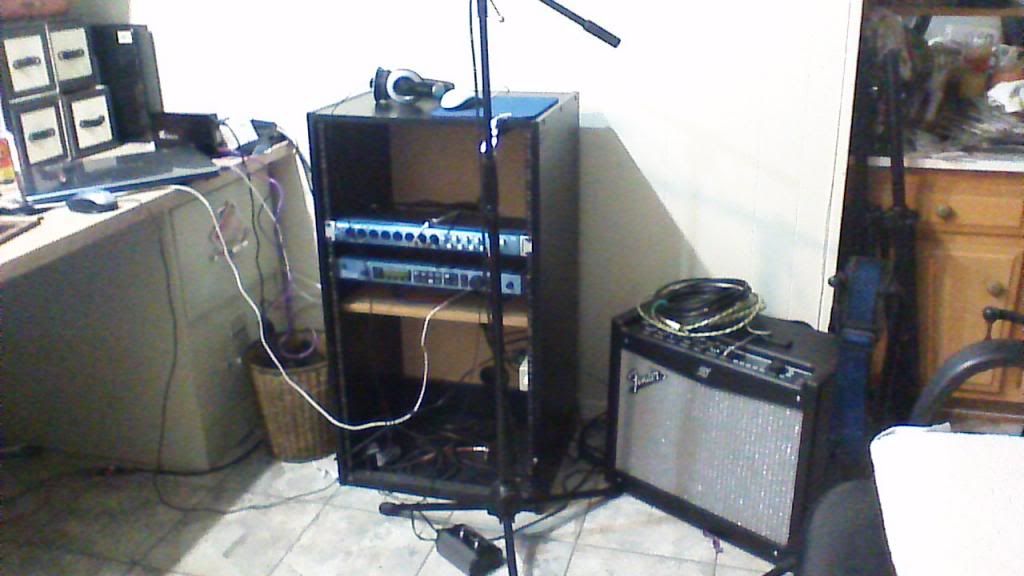
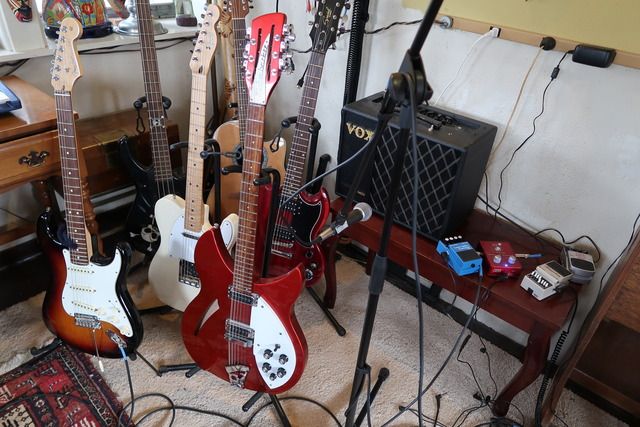
Here is my Rack system, kinda bare right now but holds my Audiobox, and the TC Helicon Voiceworks. i got the rack at Guitar center for $20 it was shakey and leaning to the side, i added a back, and a center shelf to it and it is sturdy as a rock now. Then put wheels and a handle on it so when you tip it back it rolls. to the right is my new Fender Mustang III with the two button footswitch. Great modeling amp with great software. Literally hundreds of patches available on line now.
Last edited by Robh; 01/17/1410:26 AM.
HP Win 11 12 gig ram, Mac mini Sonoma with 16 gig of ram, BiaB/RB 2026, Reaper 7, Harrison Mixbus 11 , Presonus Audiobox USB96
She is a sweetheart for sure. I took it over to play with some friend that have a band. When I got there the bass amp was as tall as me, the lead guitar player had a Marshall half stack and a plethora, yes I said plethora! Of petals, and I show up with my little mustang. I thought for sure I would not be heard. The lil' gal cut through clean, clear, and actually shined. I was surprised at the tone I got.
HP Win 11 12 gig ram, Mac mini Sonoma with 16 gig of ram, BiaB/RB 2026, Reaper 7, Harrison Mixbus 11 , Presonus Audiobox USB96
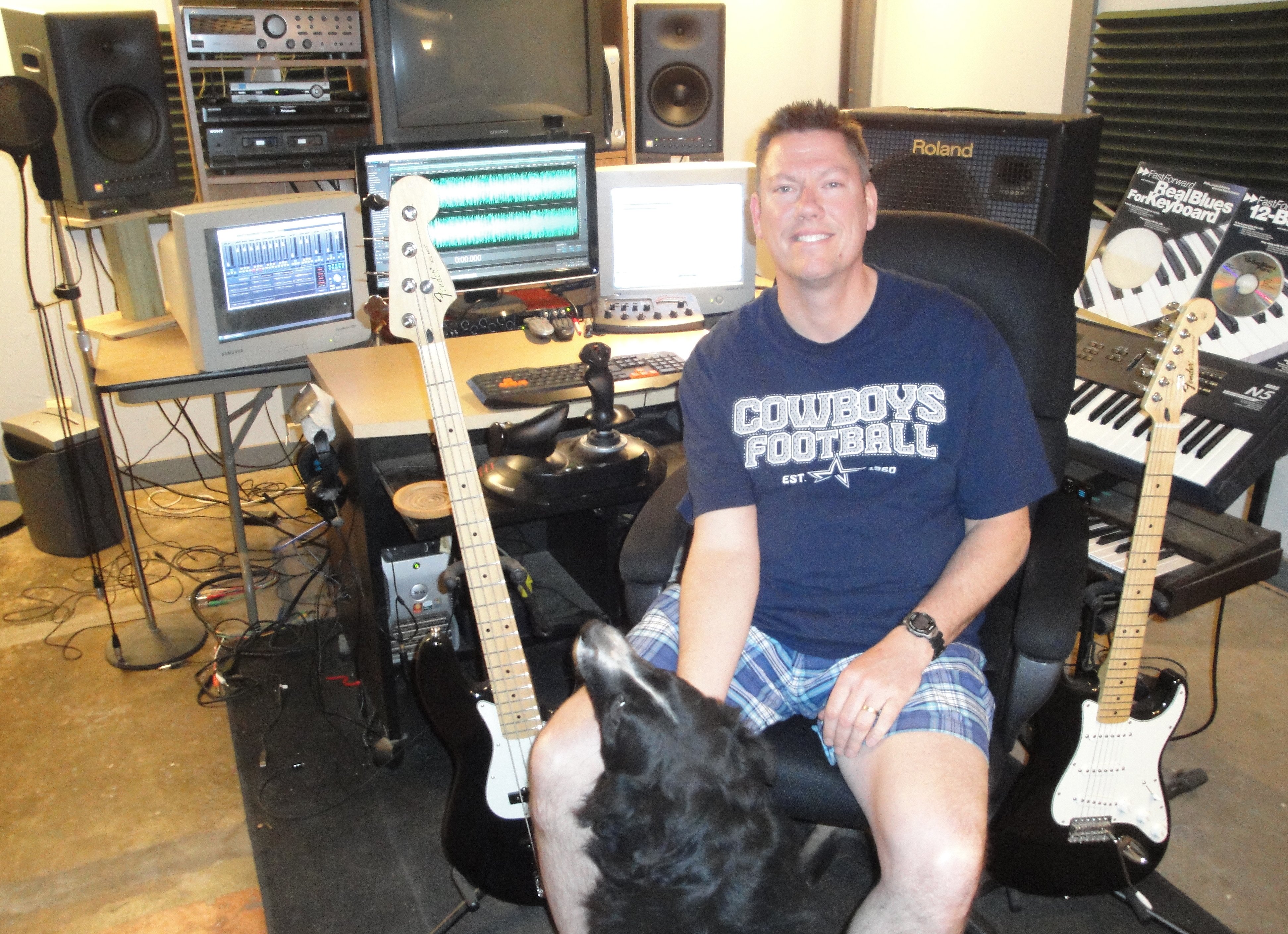
<-- Right now I'm working out of this room (minus the mixer, which is now at the new studio). That avatar is my office at home.
We're down to adding room treatments at the new studio .. and it has come a long way.
Main room is about 16 X 24, smaller than the previous finished 2 car garage but still serviceable. Mixer is on the wall, but we need to get the cables hidden yet, etc. etc.
Getting close to being picture worthy though.
I do not work here, but the benefits are still awesome Make your sound your own!
Murphy Bed (Most important piece of 'gear' in the whole room - let's me use the room as a 'studio' some of the year.
Panorama shot of the whole room:
Detail of the back side of GOBO in place to make a half-baked iso booth with the open closet door:
Detail of the business side of the GOBO showing the fluffy clothes pillows and blankets in the closet and the DIY music holder I made hanging over the GOBO:
Back side of the anti-flutter wall hanging I made from 1"x2" material and a throw-rug bought from IKEA (another copy of the rug is on the back side of the GOBO:
Not much to the actual music gear, because to me, the most important features of my 'studio' are the acoustic treatments that I use.
Scott, "anti clutter device" LOL! I watch one of those "Hoarder" shows and it scares me straight for a little while.
Josie
Anti-Flutter, not Clutter! That framework with the thin throw-rug on it, hanging out 3" away from the wall does wonders for killing flutter echoes in the room.
Just out of curiosity, does the acoustic treatment have much effect on the vocal recording? I am currently just sitting on the floor of my dining room for vocals with some furniture for absorbtion. Curious to hear your thoughts. Take care. Greg
Just out of curiosity, does the acoustic treatment have much effect on the vocal recording? I am currently just sitting on the floor of my dining room for vocals with some furniture for absorbtion. Curious to hear your thoughts. Take care. Greg
IMO...depends on the size/configuration of the room. I've never used any specially purchased room treatment. But, I don't like a live room at all to record in so when my studio was in the typical sized garage I had rug on the floor and all walls. I prefer a close to dead room for recording and it provides me a more accurate assessment of FX or signal processing I may decide to use. I don't want any noticeable reflections when recording.
Just out of curiosity, does the acoustic treatment have much effect on the vocal recording? I am currently just sitting on the floor of my dining room for vocals with some furniture for absorbtion. Curious to hear your thoughts. Take care. Greg
This has several factors for consideration.
1. Pickup pattern and gain of the microphone. Microphones with more off-axis rejection, will be less sensitive to reflections in the room, and therefore need less concern about acoustic treatment. I can record my vocals and acoustic guitars in my living room with my SM58 knock-off or my EV PL1 with very little concern about reflections.
2. A big concern with home studios is reflections off of nearby surfaces. One major faux pas of home recordists is to record into a mic that is on their desk, where they have their computer monitor basically in a line between their mouth, the mic, and the screen. Of course it's tempting to do this, you can look at your music while you sing. This can result in a very unpleasant comb filtering, as the sound bouncing off the screen comes back to the mic with a slight time delay, and notches out frequency content due to some of the frequency content being out of phase with the direct sound. The furniture you refer to should be highly absorbent, even taught tightly woven cloth and particularly vinyl/leather can be quite reflective. You want pillow/blanket soft, nothing tight woven or shiny. Shiny normally means acoustically reflective as well as reflective to light.
Here's a weird outcome of this. Leather seats in cars - used to be for luxury cars only. The same vehicle with cloth seats instead of leather seats, is quite a bit more quiet in the interior. This is one of the reasons you see perforated leather surfaces used commonly now in seats. If you can order the exact same content in a vehicle and opt out of leather seats, it will be generally quieter in the interior.
3. Sitting versus standing - you can project better standing, usually. This is normally good, but also means you probably are putting more acoustic energy into the room, which can reflect back to the mic - so sitting might actually help the overall recording situation, but perhaps not the vocal performance!
I agree with chulaivet, I prefer to record in an acoustically dead space at home, and then add in reverb. If I can get rid of most nearby (within a few feet) reflective surfaces, I can record a better sounding vocal. This also includes the ceiling - one surface often forgotten. In my setup below, I have a big comforter that I throw over the top of that GOBO, and safety-pin it to the clothes rack inside the closet. Reflections from ceiling - gone.
Post-script. I should be receiving my new recording interface soon. Maybe I'll make some demonstrations of the effects of the treatments I have in this space. I can't easily remove the anti-flutter/anti-ping wall hanging as it's a rather 'permanent' installation.
Last year, I posted a link to a file I made just showing the difference of recording in front of the monitor vs. in my little 'booth' corner. I'll see if I can dig that up.
If you like the sound you are getting then stay with it. There are some who don't want a totally "dead" space if the room you are recording in is a naturally "good" sounding space. Some people record vocals in the bathroom for the natural reverb. Some even use two mics - one for the singer and one several feet away for the "ambience". I was just reading last night where vocals were recorded in a stairwell to get that sound on the record. It's all a matter of preference.
Fabric or rugs on the floor and walls or soft furnishings or acoustic treatment all change the sound. This really hit home for me as I just rearranged my room leaving one short wall in this long narrow space with no softness. It sounded totally different. I had to take my homemade rollaway vocal booth - two tall plastic garment racks on wheels with big old fluffy comforters thrown over them - and roll one of them in front of that wall to enjoy listening to music in here again.
Know your space/needs and the difference between recording and monitoring.
The sound I want when I sit down and mix (or listen to music) is different than recording.
The sound I want when recording is a variable. My daughter sounds best in a hallway with an open end and openings at 90 and 270 degrees.. Reflections happening just a little later than usual allows her to develop a certain sound, both in recording and performance.
My bedroom (believe it or not) is the best room I've used for recording live drums; the opposite of the hallway. Larger, very insulated and dead (large soft furniture, acoustic ceiling tile with 6" insulation above, insulated walls etc.)
Find what works for you. If you want dead, go for it. But I've found 'dead' ain't always what I'm after.
I do not work here, but the benefits are still awesome Make your sound your own!
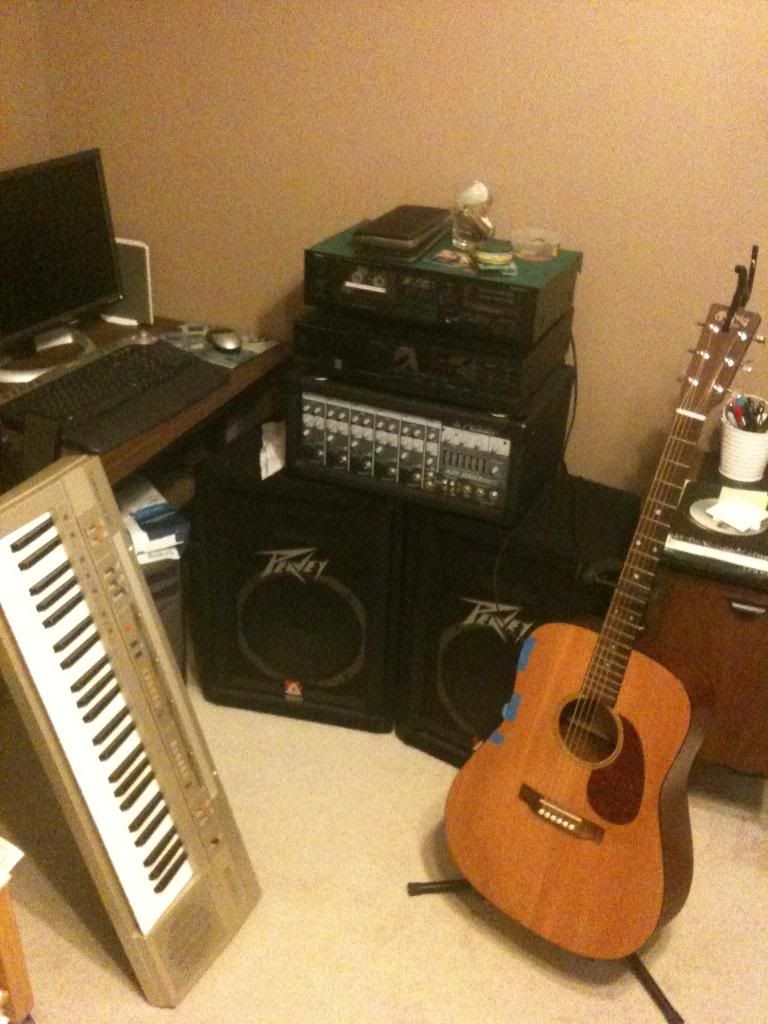
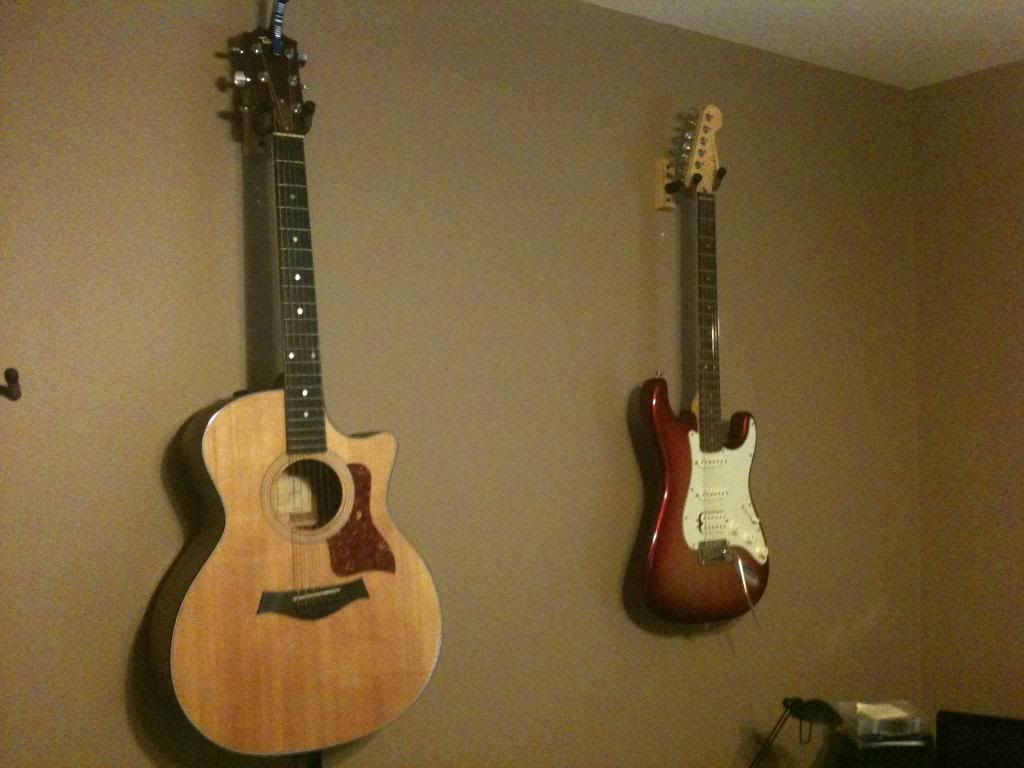
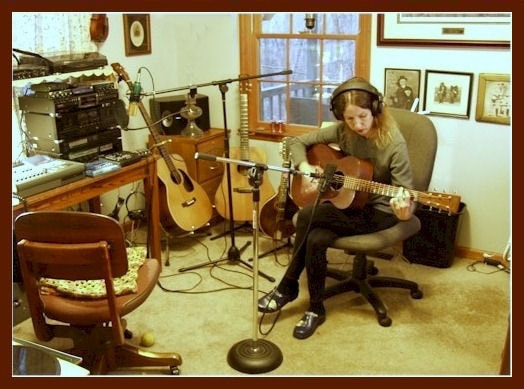
I'm in the spare room. Sorry about the grainy pics.
Please note my high-tech, hot-pad modifications to those KRK Monitors to limit the low frequencies. Oh, and that 3M Painter's Tape 'keep-the-binding-on' repair to my Martin DM flat-top. Great sound from a low end Martin btw, even with the tape.
The laptop with extra monitor is the DAW.
I've been putting that condenser mic in the closet and recording vocals that way - seems to work ok. Sometimes I move to the hall door and look across into the next room if I feel I need to 'sing big'. I run the vocal mic through that Behringer Eurorack mixer w/phantom power, and from it to the audio interface.
For guitar parts, if I'll even play any now, I sometimes plug direct into the M-Audio Fast Track Pro and use Sonar plug-ins to shape the sound. But, that's an older Peavey Bandit (not working), and an Ibanez TSA-15H guitar amp.
Btw, I just picked up and dusted two days ago. It was a disaster.
Bandit NOT WORKING? Can't believe it. We had a gig last week and mine died (Red Stripe) - or rather I thought it did. Turns out it was just the effects switch button on the back that was gamey. Assuming you've already done the deoxit number on the jacks and pots, what are the symptoms? Peaveys don't die. My wife was using her 37 year old TNT100 bass amp at rehearsal last night.
several shots of my music room (seems dishonest to call it a studio)
This is one view of my MAIN RECORDING AREA where I use BIAB and RB to build the songs
The walls and desk are treated with packing foam that came from a FedEx store. Apparently they get packages that are full of this stuff all the time, and they just throw it in the dumpster. I didn't have to dumpster-dive though... I know the manager, and he set it aside for me.
Farther to the right is my PERFORMING SETUP where I tweak the songs for consistent volume when played together in a live set. At this stage I also add and test the MIDI commands that are used to control the rack devices (shown) and floor pedals (not shown)
this is a better shot of my RACK MODULES which are (from top to bottom):
1) Behringer VAMP, a totally MIDI controllable guitar effects and amp modelling unit
2) TCHelicon Voiceworks, a totally MIDI controllable vocal processor, capable of adding just about any kind of harmony.
3) Presonus STUDIO CHANNEL tube preamp with integrated compression and EQ which I'm currently just using as a preamp for my acoustic instruments
4) BE Sonic Maximizer
5) Radio Shack Mixer, which receives the output from backing tracks, guitar processor and vocal processor, sends it thru the sonic maximizer, then provides the signal that goes to active PA speakers
6) Furman Power strip, all other modules plug into it
Everything stays setup... just roll the rack into a gig and plug in the speakers and we're ready to go.
the next pic is a USB SWITCH that sends keyboard hotkey characters to stop and start the jukebox program that delivers the backing tracks during a live set.
Currently a hard floor, but that will change soon. The room is in the basement and I've had water problems until recently. Now that there isn't a river every time it rains hard, I can risk carpeting or at least throw rugs
Pretty good setup there Pat. Ample use of sound absorbing paneling, and well laid out work area. I guess you could get some good results with that gear. Thanks for sharing Trevor
BIAB & RB2026 Win.(Audiophile), Windows 10 Pro & Windows 11, Cakewalk Bandlab, Izotope Prod.Bundle, Roland RD-1000, Synthogy Ivory, Session Keys Grand S & Electric R, Kontakt, Focusrite 18i20, KetronSD2, NS40M, Pioneer Active Monitors.
Jazzmandan, if I had a setup like yours, I would never get any music made, I would just set back and keep saying pretty! Thanks for sharing photos of your awesome setup!
INTEL I7 16GIG RAM WINDOWS-7 MIDAS VENICE F24 PRESONUS STUDIOLIVE 16 UAD 2 DYNAUDIO BM5A BEYER/880 PRO TC HELICON VOICEWORKS PLUS BAND IN A BOX/REAL BAND PRESONUS STUDIO 1 V2.65 SOFTWARE,SOFTWARE,SOFTWARE..
Thanks,couldn't work out how to put a pic up without anyone having to sign in to download it?????...
INTEL I7 16GIG RAM WINDOWS-7 MIDAS VENICE F24 PRESONUS STUDIOLIVE 16 UAD 2 DYNAUDIO BM5A BEYER/880 PRO TC HELICON VOICEWORKS PLUS BAND IN A BOX/REAL BAND PRESONUS STUDIO 1 V2.65 SOFTWARE,SOFTWARE,SOFTWARE..
BIAB & RB2026 Win.(Audiophile), Windows 10 Pro & Windows 11, Cakewalk Bandlab, Izotope Prod.Bundle, Roland RD-1000, Synthogy Ivory, Session Keys Grand S & Electric R, Kontakt, Focusrite 18i20, KetronSD2, NS40M, Pioneer Active Monitors.
In the reply screen, directly above the typing window.... the 4th icon from the left is "Enter an image"
click on it, paste the web location of the picture, the next step is click OK and there it is. It won't look right in the reply screen but the pic shows up in the final.
Use a service like Photobucket to store your pics on the web that you wish to post.
You can find my music at: www.herbhartley.com Add nothing that adds nothing to the music. You can make excuses or you can make progress but not both.
The magic you are looking for is in the work you are avoiding.
I really like your studio... very neat and convenient...
but regarding having all the guitars right there in the same room: I started out that way because its just so convenient to have all the instruments within arm's reach. But after installing the foam to minimize room reflection, I kept hearing a reverb-like sound every time I played...
Turns out that the strings on all those guitars were set to motion by the sound waves from whatever I was playing, and the effect was much like spring reverb.
I moved the instrument rack to the adjacent room and the "spring reverb" (STRING reverb?) went away.
I really like your studio... very neat and convenient...
but regarding having all the guitars right there in the same room: I started out that way because its just so convenient to have all the instruments within arm's reach. But after installing the foam to minimize room reflection, I kept hearing a reverb-like sound every time I played...
Turns out that the strings on all those guitars were set to motion by the sound waves from whatever I was playing, and the effect was much like spring reverb.
I moved the instrument rack to the adjacent room and the "spring reverb" (STRING reverb?) went away.
Just a thought for the back of your mind...
I just keep them in the cases until needed. If you are setting off string vibration on acoustic guitars, you may be monitoring too loud as well. However, with them hanging on the wall - that is where most acoustic modes will have their highest pressures, so it's certainly possible that you will excite the acoustic guitars for sure, not so much electric guitars. Same for drums actually if you have them in a combo tracking/monitoring room.
An update. The biggest changes are moving out of the corner and centering on that wall, and placing the monitors so as to create a nearly equilateral triangle with my listening position. I can't move any farther away from the wall, but I am fairly balanced within the room now.
I did add a couple of hardware units, a Golden Age Pre-73 MKII pre-amp and an FMR Audio RNC 1773. Oh, and I trimmed those noise-cancelling hot-pads so they would actually fit into the ports on those monitors:)
I now have a small switch box so I can kill the output to the monitors easily, without having to reach in back for their power buttons. And, I picked up a splitter so I can use either set of headphones without having to plug in or unplug any cables, and there's extra jacks so that I can plug in an in-ear monitor for a Street Jelly show if broadcast from this room.
Those monitor stands are from ISO Acoustics, and they're on top of some Auralex foam pads with a 3/16 piece of plywood in between for stability. The foam helped a lot. That external hdd is setting on the leftover Auralex pads that were in the box. This untreated room is boomy already and so I've tried to limit the noise coming from that hdd and from those monitors setting on the surface of the desk.
I do check my mixes with those monitors as compared to a professional reference mix, but I primarily use headphones.
Looks great Scott! Nice on the equilateral triangle set up. A definite must. I see the speaker stands to get you speakers up to ear height. I made some home made wood stands on mine.
Main difference on my set up from the picture above is that I got some Dell 19" flat screen monitors to match up to the 24" center monitor that was already there. The old CRT screens are gone.
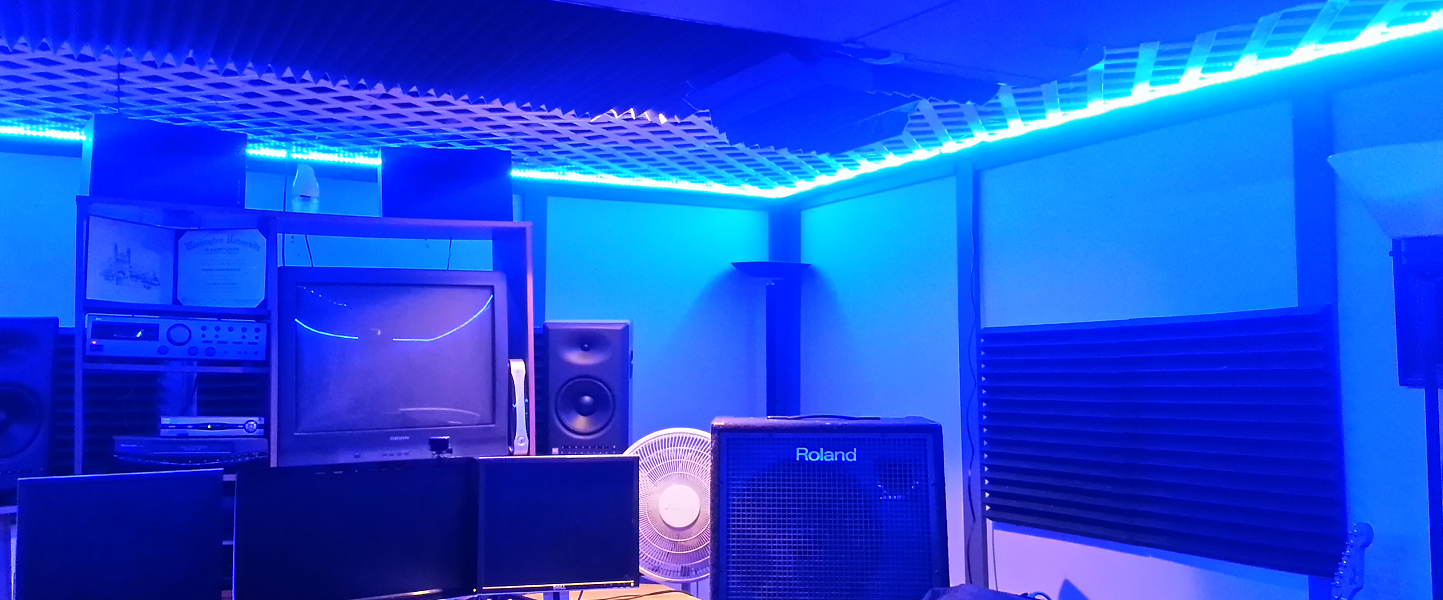
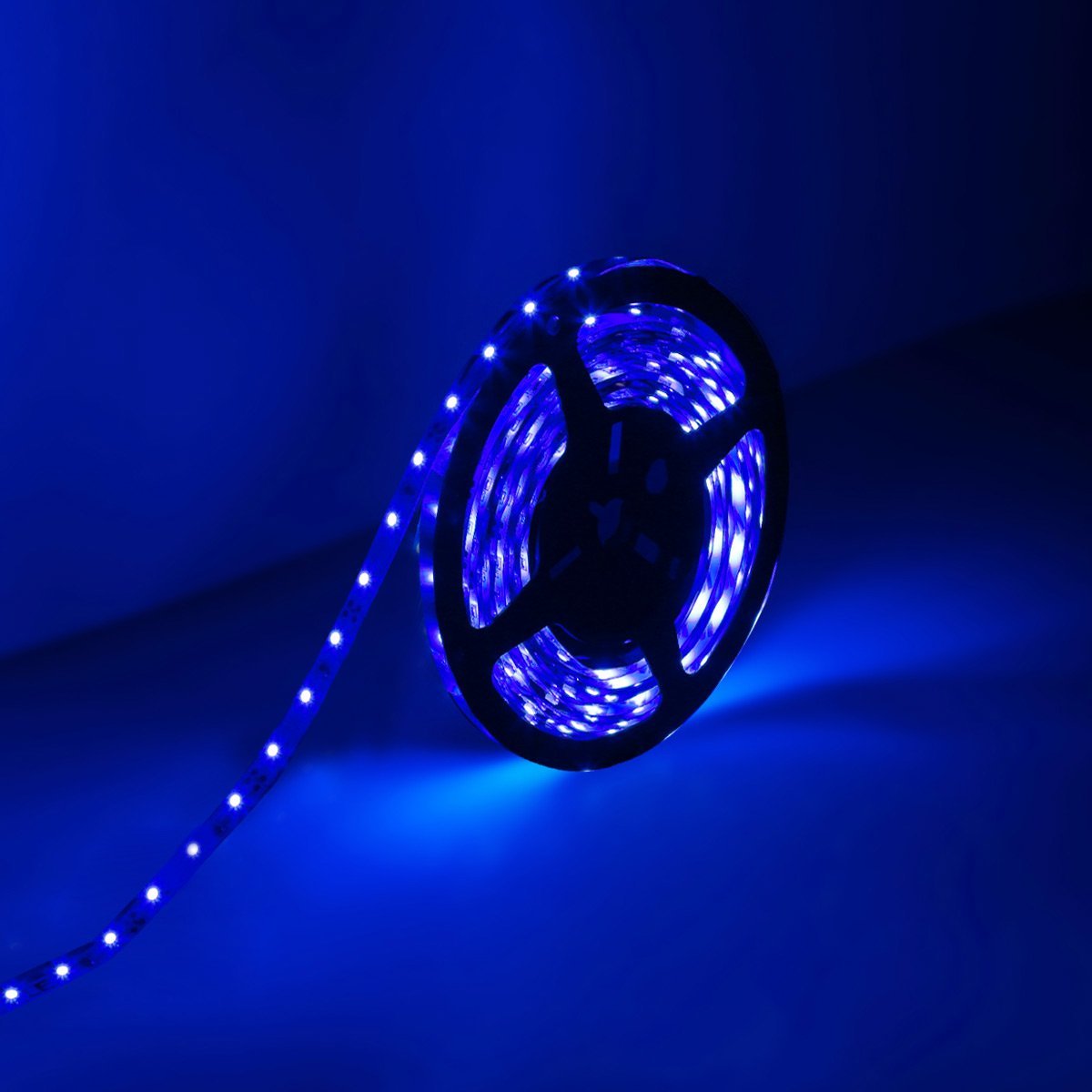
P.S. - The wife got me some blue LEDs for my ceiling as an Xmas gift. They're a lot like the black lights of the past. This is almost as good as lava lamps!
I'd post a picture of my studio now, but nothing much has changed except perhaps a bit more dust on the shelves.
And... BTW Steve....
Quote:
- The wife got me some blue LEDs for my ceiling as an Xmas gift. They're a lot like the black lights of the past. This is almost as good as lava lamps!
The LED's are cool but they ain't lava lamp cool.
You can find my music at: www.herbhartley.com Add nothing that adds nothing to the music. You can make excuses or you can make progress but not both.
The magic you are looking for is in the work you are avoiding.
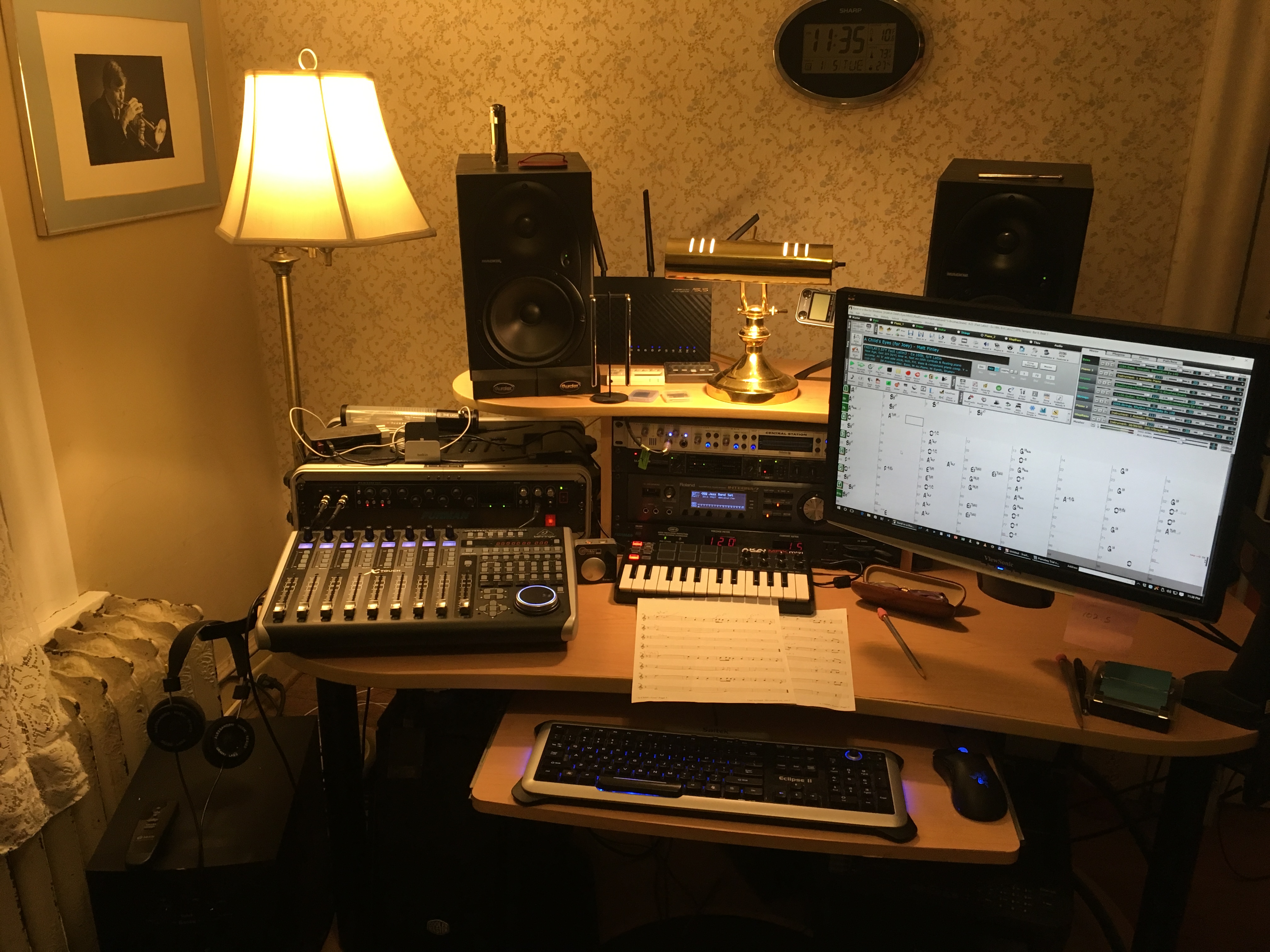
This is where I compose and arrange. The instruments and recording equipment are in another room, connected by wiring and by V-Control Pro to this PC. The display swivels out of the way of the Mackie monitor.
BIAB 2025 Win Audiophile. Software: Studio One 7 Pro, Swam horns, Acoustica-7, Notion 6, Song Master Pro, Win 11 Home. Hardware: Intel i9, 32 Gb; Presonus 192 & Faderport 8, Royer 121, Slate VSX, Adam Sub8 & Neumann 120 monitors.
Thanks Jim. Yes, it is peaceful but not as much as a lesser setup in the Adirondacks. I use headphones to check each mix, particularly the stereo separation and to prevent cancellation in mono. You can see my headphones in the lower left. These are Alessandro brand, a customization of the Grado open air line. Best $100 I ever spent in audio.
I also use headphones when my wife is asleep in the next room! That's when I use the Sony closed cans.
BIAB 2025 Win Audiophile. Software: Studio One 7 Pro, Swam horns, Acoustica-7, Notion 6, Song Master Pro, Win 11 Home. Hardware: Intel i9, 32 Gb; Presonus 192 & Faderport 8, Royer 121, Slate VSX, Adam Sub8 & Neumann 120 monitors.
"BIAB 2016 for Windows Audiophile, SONAR Platinum, Adobe Audition, Ozone, & Encore all running on Windows 10 64-bit. Hardware includes a Roland Integra-7, Focusrite 18i20, TCE Finalizer, Behringer X-Touch"
Very nice and comfortable setup.
What is your routing for the Integra-7? I had a Focusrite 18i20 for a while but did not keep it. I currently have Presonus 22vsl and 44vsl for audio interfaces. I also have a Behringer 24 channel mixer w/ stereo USB in/out available. I usually transfer BIAB tracks to a Tascam DP-24 for vocal recording and most mixing.
I'm thinking I can take the Integra-7's 8 analog outputs into my Tascam DP-24's 8 analog inputs and then import realtracks through the Tascam USB interface. Just wondering if you were using the analog outputs of the 18i20 in a similar fashion?
Charlie, it always comes back to signal flow, doesn't it.
My Integra-7 connection to the Focusrite Scarlett 18i20 couldn't be easier: one digital coax cable from the coax out to the SP/DIF In on the Scarlett.
Years ago I tested my Roland Fantom XR, very similar to the better Integra, comparing digital versus analog connections. I preferred the digital sound and the "no fuss" approach so it's been that way ever since.
Another way to say this is that I only use the Integra for MIDI sounds, not for audio or as a mixer or speaker control; I do those functions elsewhere.
BIAB 2025 Win Audiophile. Software: Studio One 7 Pro, Swam horns, Acoustica-7, Notion 6, Song Master Pro, Win 11 Home. Hardware: Intel i9, 32 Gb; Presonus 192 & Faderport 8, Royer 121, Slate VSX, Adam Sub8 & Neumann 120 monitors.
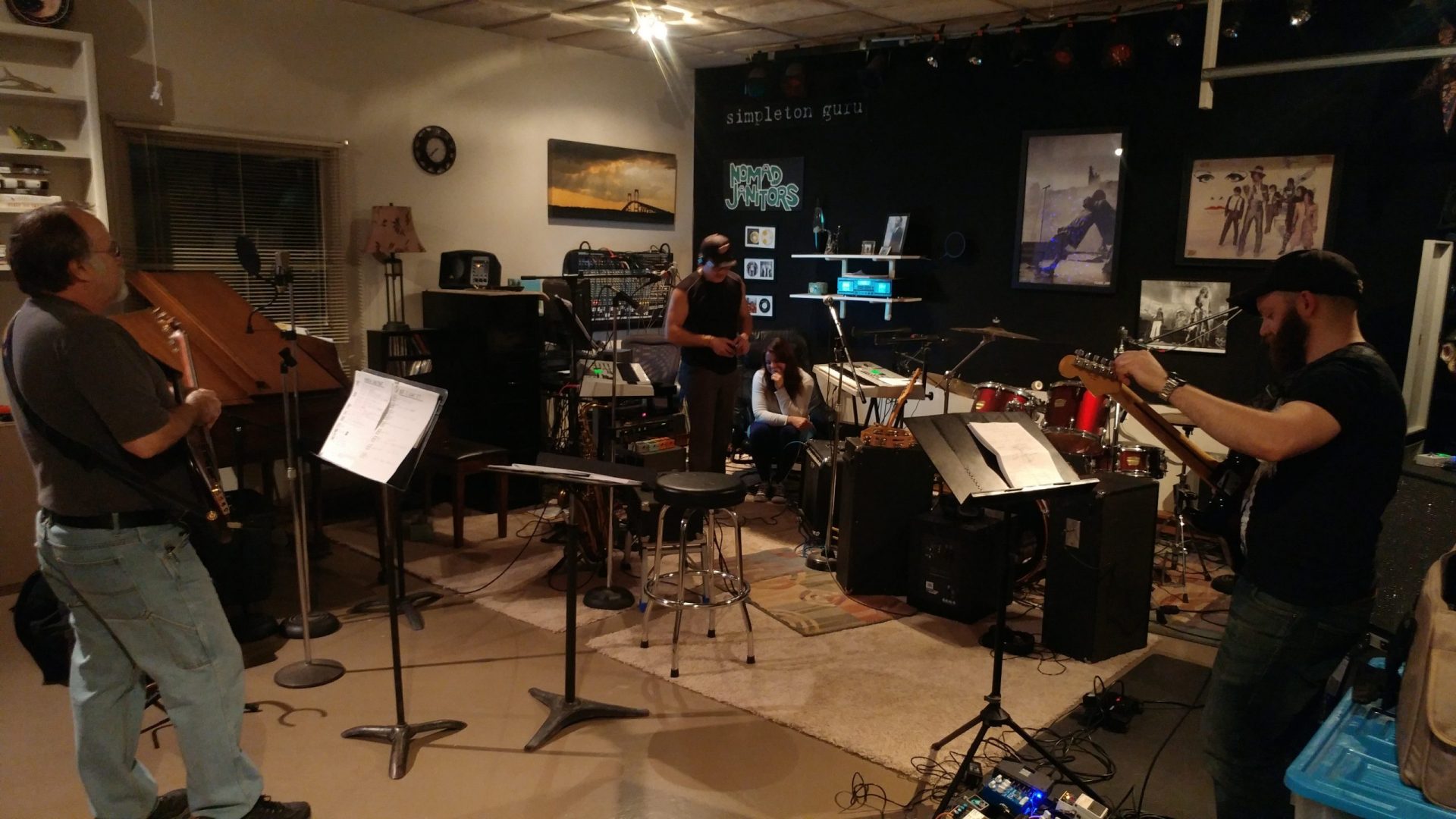
It was indeed a band name. Then it became simpleton guru ..
People remembered the names .. isn't that what band names are supposed to do?
I once went to a guitar clinic by a well known (internationally) guitar player. After the clinic there was the obligatory line of people parading by to meet him. Just as this one younger group walked up one of them said "Hey, there's one of the Simpleton Guru guys, we were at your show last night.".. I got a funny look from the clinician and always wondered if he went home and Googled to see who I was .. he kept looking at me funny for the rest of the time he hung around.
I think the name being easy to remember helped. /I didn't particularly like the Nomad Janitor name at the time, but it worked.
I do not work here, but the benefits are still awesome Make your sound your own!
They had a hard time getting gigs because the club owners didn't want to advertise their name on the marquee for fear of being sued for false and misleading advertising when patrons discovered that the beer wasn't actually free, it was the band's name.....
I guess the band's marketing idea was their name would bring folks in the front door expecting free beer.....then stay to hear the band after they found out that beer was actually quite expensive.
Didn't last long.
You can find my music at: www.herbhartley.com Add nothing that adds nothing to the music. You can make excuses or you can make progress but not both.
The magic you are looking for is in the work you are avoiding.
How do you folks keep things so organized? Great spaces
Here's where I live
I see you have the Event 20/20's. What amp are you driving them with?
Regards,
Bob
Those are actually PS8s circa '01-ish. Still doing great.
Cool. I love mine as well.
20/20s or PS8s? If 20/20s, what amp are you using? I'm thinking of adding some Alto TS110As or an amp + passive cabs for jamming volume. I'm not really wanting to go full out PA huge for volume.
Win10Prox64/i7-6700@3.8G/32G / Studio One Pr 4.1.1 TASCAM US-16x08 / FaderPort / Fishman TriplePlay / Nektar LX61+
On top of the rack case beneath the lamp stand is a light of some description laying on its side with a USB cable attached? I'm trying to convince myself it's a Lava Lamp, but that ain't working.
Almost immediately in front of the left monitor, there's a small black stand with two chromed metal rods hanging from it?
Cheers Trevor
BIAB & RB2026 Win.(Audiophile), Windows 10 Pro & Windows 11, Cakewalk Bandlab, Izotope Prod.Bundle, Roland RD-1000, Synthogy Ivory, Session Keys Grand S & Electric R, Kontakt, Focusrite 18i20, KetronSD2, NS40M, Pioneer Active Monitors.
Only one might be considered intriguing. Trevor, I never dreamed my little iPhone snapshot would be so scrutinized.
The metal rods are pens, hanging from a Brookstone magnet.
Now, OK, the other thing is unusual. That is a sterilizing chamber by Silverstein that is used for brass and woodwind mouthpieces and reeds. It is powered by USB, and the place I have the most ports is the powered hub for the computer.
BIAB 2025 Win Audiophile. Software: Studio One 7 Pro, Swam horns, Acoustica-7, Notion 6, Song Master Pro, Win 11 Home. Hardware: Intel i9, 32 Gb; Presonus 192 & Faderport 8, Royer 121, Slate VSX, Adam Sub8 & Neumann 120 monitors.
I wondered if the metal rods were little bar chimes.
And so much for the lava lamp theory, ha ha What a nifty gadget.
BIAB & RB2026 Win.(Audiophile), Windows 10 Pro & Windows 11, Cakewalk Bandlab, Izotope Prod.Bundle, Roland RD-1000, Synthogy Ivory, Session Keys Grand S & Electric R, Kontakt, Focusrite 18i20, KetronSD2, NS40M, Pioneer Active Monitors.
Wasn't trying to be too inquisitive, just wanted to know what goodies I needed to go out and buy
Tuning fork? Yes I did miss that. I had initially wondered if those 'bar chimes' weren't some kind of fancy tuning fork.
But more intrigued than ever, I went back and looked. On top of the RH monitor?
BIAB & RB2026 Win.(Audiophile), Windows 10 Pro & Windows 11, Cakewalk Bandlab, Izotope Prod.Bundle, Roland RD-1000, Synthogy Ivory, Session Keys Grand S & Electric R, Kontakt, Focusrite 18i20, KetronSD2, NS40M, Pioneer Active Monitors.
This is where I compose and arrange. The instruments and recording equipment are in another room, connected by wiring and by V-Control Pro to this PC. The display swivels out of the way of the Mackie monitor.
Looks like a very creative space. I'm not familiar with any of the outboard gear, but I am wondering how old the house is and whether that radiator still works:)
This is where I compose and arrange. The instruments and recording equipment are in another room, connected by wiring and by V-Control Pro to this PC. The display swivels out of the way of the Mackie monitor.
Looks like a very creative space. I'm not familiar with any of the outboard gear, but I am wondering how old the house is and whether that radiator still works:)
Just saw this and laughed. The house was built in 1912 by my wife's grandparents. The radiator works fine.
BIAB 2025 Win Audiophile. Software: Studio One 7 Pro, Swam horns, Acoustica-7, Notion 6, Song Master Pro, Win 11 Home. Hardware: Intel i9, 32 Gb; Presonus 192 & Faderport 8, Royer 121, Slate VSX, Adam Sub8 & Neumann 120 monitors.
Just saw this and laughed. The house was built in 1912 by my wife's grandparents. The radiator works fine.
1912! Wow, how sensational is that!
Sure hope you gave it a party for its centenary. I sometimes wonder if houses they build today might see a century.
BIAB & RB2026 Win.(Audiophile), Windows 10 Pro & Windows 11, Cakewalk Bandlab, Izotope Prod.Bundle, Roland RD-1000, Synthogy Ivory, Session Keys Grand S & Electric R, Kontakt, Focusrite 18i20, KetronSD2, NS40M, Pioneer Active Monitors.
No big deal - my cabin is older. All we know is that it was there in a map of 1890.
(Sorry to hijack this thread.)
Cool, real cool. Don't tell me, 5 bedrooms, 3 bathrooms, 4 car garage. No?
Nevermind, I like that. As a youngster we used to find & restore old cattleman's & loggers cabins in the High Country. Kerosene fridges, pot-belly stoves. Ahhh.
(Now, back to Studios)
BIAB & RB2026 Win.(Audiophile), Windows 10 Pro & Windows 11, Cakewalk Bandlab, Izotope Prod.Bundle, Roland RD-1000, Synthogy Ivory, Session Keys Grand S & Electric R, Kontakt, Focusrite 18i20, KetronSD2, NS40M, Pioneer Active Monitors.
Well, all I can say is that before - no matter how cool it looked, it was never a real studio.
But now? Yes now, you've made the grade. A real studio. Congratulations!
BIAB & RB2026 Win.(Audiophile), Windows 10 Pro & Windows 11, Cakewalk Bandlab, Izotope Prod.Bundle, Roland RD-1000, Synthogy Ivory, Session Keys Grand S & Electric R, Kontakt, Focusrite 18i20, KetronSD2, NS40M, Pioneer Active Monitors.
Yep, kinda compact, but hey, everything's within easy reach!
Trev
BIAB & RB2026 Win.(Audiophile), Windows 10 Pro & Windows 11, Cakewalk Bandlab, Izotope Prod.Bundle, Roland RD-1000, Synthogy Ivory, Session Keys Grand S & Electric R, Kontakt, Focusrite 18i20, KetronSD2, NS40M, Pioneer Active Monitors.
BIAB & RB2026 Win.(Audiophile), Windows 10 Pro & Windows 11, Cakewalk Bandlab, Izotope Prod.Bundle, Roland RD-1000, Synthogy Ivory, Session Keys Grand S & Electric R, Kontakt, Focusrite 18i20, KetronSD2, NS40M, Pioneer Active Monitors.
It is currently still a little above my pay grade. The unit itself is incredible. The sounds are incredible.
I got off to a rough start due to my lack of understanding midi in getting it to communicate with BIAB and Matt Finley helped me to get over that bump. I'm still working in that area.
Looks like a great box Charlie. Have you got to listen to the drum sounds? How are they?
All of the drums are really good. The Integra comes with a drum expansion sound addition and just playing the demos, they are practically indistinguishable from RealDrums in BIAB to my ear. The Supernatural guitars was the main purpose for my decision to purchase it.
-------
Thanks Matt. My current struggle is trying to understand the CC's and program changes from a good, quality midi song file in BIAB and the way the Integra processes them. For instance- Glenn Frey's "The One You Love" sax intro. I will post a new thread so as to not hijack this one.
First keep reaching out to Matt - he's had his a lot longer than me.
I got mine this past summer at same time as a Montage7 - and that board has eaten up all my brain cells (fricking Yama just had to change how they do things just to change how they do things - almost wish I had just traded up to XF from XS instead- the Montage is really not meant for studio work, unless you like arcane menus and "hidden" gems and heartache, ok soap box off and - back to why I'm here [PS the Montage SOUNDS GREAT but...])
Bottom-line I haven't really spent much (almost no) time with my I7. But it's a Roland and not radically different than my Fantom XR or even XV-5080 in terms of how they do things "under the hood" - so I have no issue just "using it" for basic multi-timbral MIDI use.
Long winded way to get to here just to tell you:
check out "Roland Clans" (not really a site for shy noobs) but a lot of good info - BUT you have to dig it out (sometimes).
Also there is a guy over there, K_Take, that has written a FREE and MUCH better editor for the I7 than Roland's "late to the party for Windows 7 or 10 editor" or the one Roland has provided for the iPad from the start)
the Integra-7 sound editor site (link two up) tells you all you need to download the editor and what version of .Net Framework you need (that is a Microsoft set of "things" IT IS ALSO FREE info about .Net Framework is here (geeky stuff don't really have to know it. Besides, your PC is probably already at or above the .Net Framework needed anyway - if you've been doing all your updates.
Win10Pro,i9,64GB,2TBSSD+20TBHDDs,1080TI,BIAB'24,Scarlett18i8,Montage7,Fusion 8HD,QS8,Integra7,XV5080,QSR,SC-8850,SPLAT,FL21&others,Komp.14,IK suite&others, just a guitar player-AXE FX III &FM9T, FishmanTP, MIDIGuitar2, GK2/3'sw/GI20
Yea I did a mini hi-jack after Charlie gave you kudo's for helping getting his I7 going with BIAB and you responding with "still here if you need it"
in retrospect I should have PM'ed Charlie with that info
Larry
Win10Pro,i9,64GB,2TBSSD+20TBHDDs,1080TI,BIAB'24,Scarlett18i8,Montage7,Fusion 8HD,QS8,Integra7,XV5080,QSR,SC-8850,SPLAT,FL21&others,Komp.14,IK suite&others, just a guitar player-AXE FX III &FM9T, FishmanTP, MIDIGuitar2, GK2/3'sw/GI20
We had a studio of sorts 20 years ago as pictured but now it consists of two mics, an iMac, small KRK monitors and a USB interface...that's it -- replaced everything electronic in photo. Same room but a Bowflex occupies a lot of it along with the iMac, etc. The only real concession to the "studio" feel is the carpet...rest of the house has heart pine floors.
Our albums and singles are on Spotify, Apple Music, Amazon Music, YouTube Music, Pandora and more. If interested search on Janice Merritt. Thanks! Our Videos
Thank you for the comments Guitarhacker and Charlie Fogle.
Since purchasing BIAB and a keyboard controller I spend more time than is good for me here.
The panelling on the brick walls are DIY with 40mm Isoshield ceiling boards framed and mounted. Some carpeting on the back wall to knock down some reflections and heavy drapes over the windows.
The room was originally earmarked as a laundry. It took heavy convincing and delivered promises on alterations to water and electricity supply to keep the rest of my family happy with the arrangement.
With those activities completed, the studio/work room is used for its intended purposes of creating music.
Actually started using the new studio this past weekend. (In case you don't know, this particular studio has been 3 years coming). It was fun, but collateral cleanup is needed before posting more pics than below. There's a temporary shelving unit in front of the grand piano, the yamaha drums aren't mic'd or even completed for setup yet, but the 'heart' of it all got some actual work Saturday (image below).
The bundle of cords coming out of the mixer go to the Delta 1010. After this picture we connected up 6 more ins and had 8 tracks recording as expected in Realband. A couple drum mics, keyboards, vocals, bass all going to their own tracks. <grin>
I admit it was RB 2012 or so (Barry is way behind in updates on his system) but it worked. I can always take an external drive over and run RB from that if needed, or use one of my licenses for that machine... (worst case). But anyway, we were recording 8 tracks at a time in the new studio consistently, so the 'work' to get everything set up is almost done and the fun is beginning.
I do not work here, but the benefits are still awesome Make your sound your own!
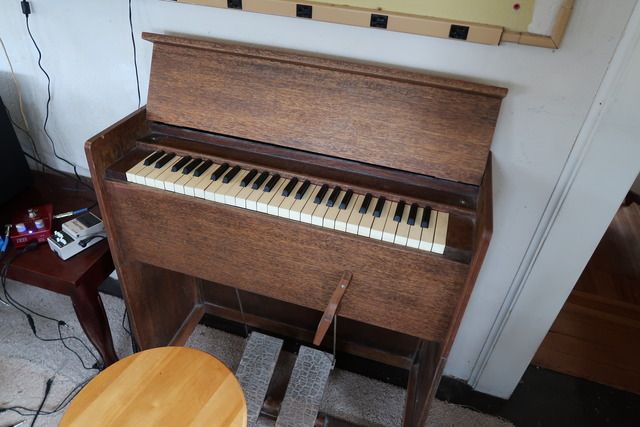
Here's my setup. I start with BB, RB for solo work, export to Pro Tools, overdub and mix to JBL monitors with a pair of ROR Soundcubes as backup. I can't tell if a mix is right till I hear it in my car. Final picture shows the antique pump organ I found at a yard sale. Yes, it has been used in a song.
BIAB & RB2026 Win.(Audiophile), Windows 10 Pro & Windows 11, Cakewalk Bandlab, Izotope Prod.Bundle, Roland RD-1000, Synthogy Ivory, Session Keys Grand S & Electric R, Kontakt, Focusrite 18i20, KetronSD2, NS40M, Pioneer Active Monitors.
PowerTracks 2026 is here—bringing powerful new enhancements designed to make your production workflow faster, smoother, and more intuitive than ever.
The enhanced Mixer now shows Track Type and Instrument icons for instant track recognition, while a new grid option simplifies editing views. Non-floating windows adopt a modern title bar style, replacing the legacy blue bar.
The Master Volume is now applied at the end of the audio chain for consistent levels and full-signal master effects.
Tablature now includes a “Save bends when saving XML” option for improved compatibility with PG Music tools. Plus, you can instantly match all track heights with a simple Ctrl-release after resizing, and Add2 chords from MGU/SGU files are now fully supported... and more!
Get started today—first-time packages start at just $49.
Already using PowerTracks Pro Audio? Upgrade for as little as $29 and enjoy the latest improvements!
Band-in-a-Box 2026 for Windows Special Offers End Tomorrow (January 15th, 2026) at 11:59 PM PST!
Time really is running out! Save up to 50% on Band-in-a-Box® 2026 for Windows® upgrades and receive a FREE Bonus PAK—only when you order by 11:59 PM PST on Thursday, January 15, 2026!
We've added many major new features and new content in a redesigned Band-in-a-Box® 2026 for Windows®!
Version 2026 introduces a modernized GUI redesign across the program, with updated toolbars, refreshed windows, smoother workflows, and a new Dark Mode option. There’s also a new side toolbar for quicker access to commonly used windows, and the new Multi-View feature lets you arrange multiple windows as layered panels without overlap, making it easier to customize your workspace.
Another exciting new addition is the new AI-Notes feature, which can transcribe polyphonic audio into MIDI. You can view the results in notation or play them back as MIDI, and choose whether to process an entire track or focus on specific parts like drums, bass, guitars/piano, or vocals. There's over 100 new features in Band-in-a-Box® 2026 for Windows®.
There's an amazing collection of new content too, including 202 RealTracks, new RealStyles, MIDI SuperTracks, Instrumental Studies, “Songs with Vocals” Artist Performance Sets, Playable RealTracks Set 5, two RealDrums Stems sets, XPro Styles PAK 10, Xtra Styles PAK 21, and much more!
Upgrade your Band-in-a-Box for Windows to save up to 50% on most Band-in-a-Box® 2026 upgrade packages!
Plus, when you order your Band-in-a-Box® 2026 upgrade during our special, you'll receive a Free Bonus PAK of exciting new add-ons.
If you need any help deciding which package is the best option for you, just let us know. We are here to help!
Band-in-a-Box® 2026 for Windows® Special Offers Extended Until January 15, 2026!
Good news! You still have time to upgrade to the latest version of Band-in-a-Box® for Windows® and save. Our Band-in-a-Box® 2026 for Windows® special now runs through January 15, 2025!
We've packed Band-in-a-Box® 2026 with major new features, enhancements, and an incredible lineup of new content! The program now sports a sleek, modern GUI redesign across the entire interface, including updated toolbars, refreshed windows, smoother workflows, a new dark mode option, and more. The brand-new side toolbar provides quicker access to key windows, while the new Multi-View feature lets you arrange multiple windows as layered panels without overlap, creating a flexible, clutter-free workspace. We have an amazing new “AI-Notes” feature. This transcribes polyphonic audio into MIDI so you can view it in notation or play it back as MIDI. You can process an entire track (all pitched instruments and drums) or focus on individual parts like drums, bass, guitars/piano, or vocals. There's an amazing collection of new content too, including 202 RealTracks, new RealStyles, MIDI SuperTracks, Instrumental Studies, “Songs with Vocals” Artist Performance Sets, Playable RealTracks Set 5, two RealDrums Stems sets, XPro Styles PAK 10, Xtra Styles PAK 21, and much more!
There are over 100 new features in Band-in-a-Box® 2026 for Windows®.
When you order purchase Band-in-a-Box® 2026 before 11:59 PM PST on January 15th, you'll also receive a Free Bonus PAK packed with exciting new add-ons.
Upgrade to Band-in-a-Box® 2026 for Windows® today! Check out the Band-in-a-Box® packages page for all the purchase options available.
Band-in-a-Box 2026 Video: The Newly Designed Piano Roll Window
In this video, we explore the updated Piano Roll, complete with a modernized look and exciting new features. You’ll see new filtering options that make it easy to focus on specific note groups, smoother and more intuitive note entry and editing, and enhanced options for zooming, looping, and more.
Band-in-a-Box 2026 Video: AI Stems & Notes - split polyphonic audio into instruments and transcribe
This video demonstrates how to use the new AI-Notes feature together with the AI-Stems splitter, allowing you to select an audio file and have it separated into individual stems while transcribing each one to its own MIDI track. AI-Notes converts polyphonic audio—either full mixes or individual instruments—into MIDI that you can view in notation or play back instantly.
One of our representatives will be happy to help you over the phone. Our hours of operation are from
6:00AM to 6:00PM PST (GMT -8) Monday thru Friday, and 8:00AM to 4:00PM PST Saturday. We are closed Sunday. You can also send us your questions via email.
One of our representatives will be happy to help you on our Live Chat or by email. Our hours of operation are from
6:00AM to 6:00PM PST (GMT -8) Monday thru Friday; 8:00AM to 4:00PM PST (GMT -8) Saturday; Closed Sunday.



























 What a nifty gadget.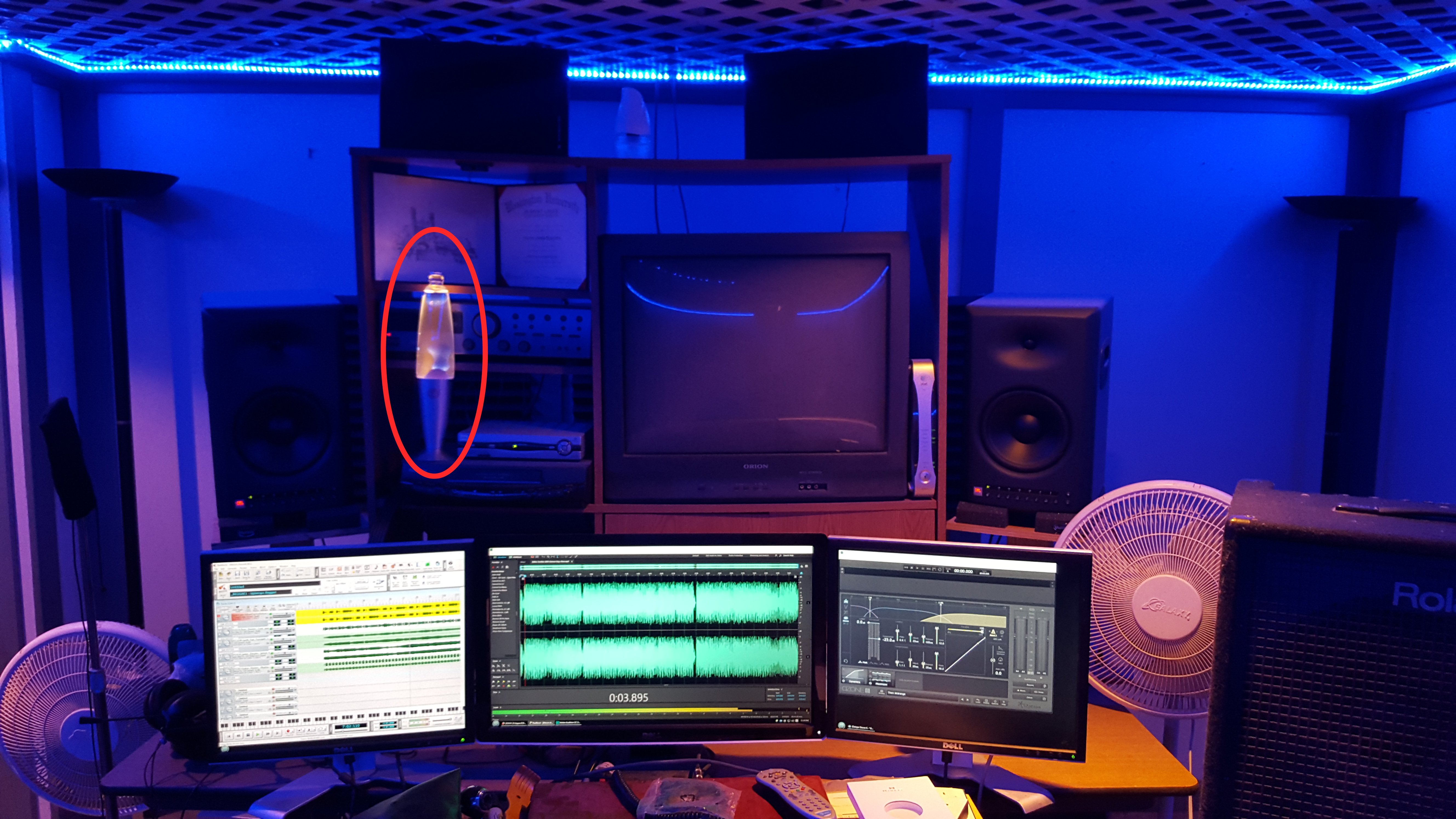








 Dansk
Dansk Deutsch - Windows
 Español
 Français - Windows
 Italiano - Windows
 Nederlands
 Polski
 Português
 Svenskt
 русский
 Japanese
 Simplified Chinese
 Traditional Chinese
 Korean