I've posted about the using a JamMan a couple of times. In the past I've used players CD/MP3, but for the last three+ years I've been using my JamMan solo XT with an added SD card and FS3X foot switch. I have plenty of space and use WAV files. Plus the added advantage for me of the JamMan is that as a foot pedal, it is hands free. I can stop and start and scroll through songs using the FS3X. I just assign each song a loop number that's written on my set list. As a guitar player this works well for me, plus I think it's a better look to the audience...not a lot of button pushing between songs. The song quality is great through my Bose L1 Compact.
Joanne, words on the computer/tablet/phone karaoke style is something to be considered.
We have close to 600 songs now. I play the backing tracks but display the words in WordPad or the music in Encore depending on the song. Most of the songs are memorized, except for the newer ones and those we don't play often. However, even when a song is memorized, it's nice to have a 'cheat sheet' to refer to if you get one of those momentary distractions like an audience member coming up for a birthday request. The backing tracks wait for no one, and a glance at the cheat sheet helps you get back into it after you have been disturbed from the auto-pilot mode.
Karaoke tracks would serve the same purpose, perhaps even better.
There are a lot of good ideas in this thread, which prove there is more than one correct way to make music.
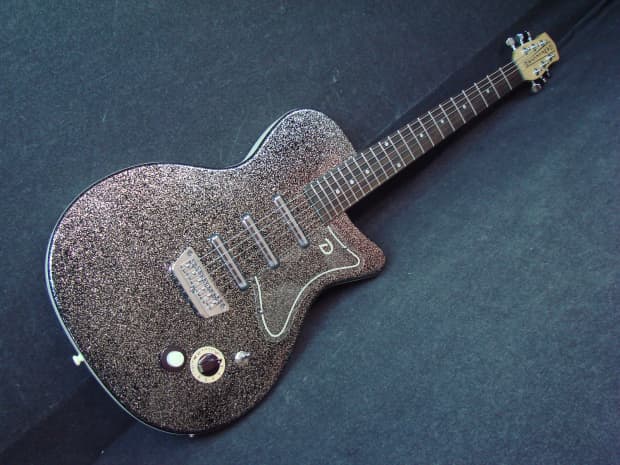
Never forget a lyric again. If I still played, I'd spend the $1100 and do it right without even a second thought. I don't like to hack, jury rig and "get by" on my tools. Why I have never owned a "Telecaster-like" guitar made by some guy named Fred in his basement shop.
My mentality will always be to remember that I don't get to keep a dime of my fortune after I die. I don't want to be the richest corpse in the graveyard. Just the best looking. (And that's a lock!!! ) But again, that's just me.
I was kind of surprised by the number of additional products people in the group suggested as delivery tools for trax. Here are two more:
1) GEM pole speakers have a USB port that will take a thumb drive full of MP3s (or WAVS I suppose). You also get a hand-held play device. Since anybody playing live is probably going to need a PA anyway, this is one way to make trax delivery a built-in part of your system
2) another device capable of delivering backing tracks is Roland's GR-55 guitar synth. It has a USB port and built in pedal control for navigating and playing songs stored on the USB drive
I bought a BlueTooth reciever from Walmart for $9. I found it hanging on the wall near where they sell HDMI cables and SD cards. There are plenty of others on Amazon. It has a 3.5 mm jack and stub that plugs into the 3.5 mm input on the Yamaha Stagepas 600I/400I. It charges off of my home computer and stays chrged for a very, very long time. I don't know how long because I don't keep track but I have used it for many times forgetting to charge it for several weeks in a row. I use a $65 Android phone over BlueTooth for my break music.(I haven't been using backing tracks for a while now). That's a spare phone that does not have a phone number. I suppose any BlueTooth playback device would work with it and a cable adapter to connect to any mixer/PA.
this seems an astonishingly dumb question but I really can't find much on the net. I'd like to up my chops by working with backing tracks in genres I don't play (which is most of them). On Google and YouTube, anything to do with backing tracks is either to buy them, make them, opinions of live use or recording. All I want to do is explore ideas over a steady beat and tunes. No one that I've found has said whether it's preferable to use amps and speakers for each side, combine them, use headphones, etc. And absolutely no one has mentioned how to stop, back-up, repeat or pause playback. Foot pedals would make a lot of sense for that. I have lots of gear which probably includes whatever I need -- or most of it. I just don't want to have a guitar in two hands, keyboard, mouse and computer screens in front and have to keep fiddling with incoming content. I'll be playing softly with no neighbors but have good cans if needed. Thanks for reading and I'd like to hear how you deal with this. Thanks,
Sounds like you are looking for an option for using BiaB backing tracks, at home, for practicing or exploring ideas without fiddling with a PC of incoming content while playing. Strictly at home, private, non-performance stuff.
Basically, use iTunes. Works for me.
- set up the tracks as songs in Biab and render to a WAV file - import the WAV files to iTunes - set up a Playlist and copy what you want to use today into that Playlist - arrange the Playlist tunes in the order you want playback - play the iTunes playlist thru you PC's speakers (you'll want decent PC speakers of course) at whatever volume you want - iTunes has controls for start, stop, back up and pause but I don't know how they could be used without using a mouse on the iTunes screen.
Basically, the only time you have to leave the guitar is to start the playlist. Your amp only handles your guitar, not the BiaB file so you are free to add whatever guitar effects you want to use at the guitar amp.
Some tips to make things easier: - Have a specific folder to hold the new WAV files; you can import all of them at once - Set up the BiaB track as a full song... intro, number of choruses and ending - When you render the BiaB file to WAV, include a few seconds delay at the start and end so the tune doesn't start immediately. (Delay is on the Render panel not in the SGU file) - When you name the output WAV file, include the key in the name (so if its "I Can't Get Started" and its in the key of C, then "I Can't Get Started_C") That way you don't have to recall what key its in, just look at the PC screen. - Use the iTunes "comments" to note whatever info you feel is important to remember when using the tune and display the comments in the Playlist.
You probably already have iTunes, and I'll assume you know how to manipulate the iTunes files and settings. I'm also assuming you know how to set up BiaB songs and render to a WAV file.
If you want more info or have some specific question, just ask.
OK, so you've been using BIAB to create backing tracks for solo gigs. The question of how to deliver the trax arises occasionally. Here are a few old ways, plus a new one I just discovered (at the end)
2) some people use a tablet, MP3 player or phone to deliver MP3s
Disadvantages: ... no hands free operation that I'm aware of ... depending on app used, probably can't use MIDI to control gear
Nope. $10 IOS/Android Gig worthy backing track app allows use of bluetooth keyboard/pedal to send midi instructions to.
I use next/prev song, next/prev loop section, start/stop play, Loop on/off. You can even hook in an expression pedal if you like for volume control. For me its not necessary.
So both things are easily doable.
Gigging with tracks is a lot more than just playing back tracks. Library management (hundreds of tunes) Creating Setlists - be prepared (10-20 songs per set) Navigating songs as they play. Id sections (intro, head, outtro, Solos) Looping sections of a song (eg more choruses for improv) Slow down, speed up (if you like). Change Key (if a singer shows up). Eq sound for a particular song (sometimes one is just too boomy)
Mp3 files and a solid IOS app is my choice. I use a tablet and have a mirror copy on my phone. It just works. Easy, reliable.
Still looking for a better/easier/faster approach. Haven't found one on this forum... yet.
I don't gig full time. I do 50-100 gigs per year. I value great sound, simplicity and reliability. I can't see ever toting a computer or a dedicated track player or looper to a gig. Complications, points of failure.
My setup is 2 trips packin/out. Nothing weighs more than 32lbs. I arrive at a gig and can start to play within 10 minutes, if necessary.
Everyone is different and deserves their own approach. What works for me may not work for others. I know there will come a better mousetrap than what I am using. But it will be in the future not the past.
biab2026(Mac) Latest Build Mac OS (Latest) Mac Mini M2 pro 32GB Ram Logic Pro (latest or pretty close) Daiwa Saltist 35H
I basically use an app called Jamzone. I have an iPad holder on my Mike stand. It Bluetooth connects to my PA system plug in the Mike and guitar. It has set list capability’s. The tracks are multitracked with a scratch vocal to practice with. Turn off the vocal and acoustic guitar and boom in business
HP Win 11 12 gig ram, Mac mini Sonoma with 16 gig of ram, BiaB/RB 2026, Reaper 7, Harrison Mixbus 11 , Presonus Audiobox USB96
<...snip...> Gigging with tracks is a lot more than just playing back tracks. Library management (hundreds of tunes) Creating Setlists - be prepared (10-20 songs per set) Navigating songs as they play. Id sections (intro, head, outtro, Solos) Looping sections of a song (eg more choruses for improv) Slow down, speed up (if you like). Change Key (if a singer shows up). Eq sound for a particular song (sometimes one is just too boomy)
Mp3 files and a solid IOS app is my choice. I use a tablet and have a mirror copy on my phone. It just works. Easy, reliable.<...>
My setup is similar but with some differences.
I don't do setlists. I read the audience while I'm gigging, and decided what song to play next. Sometimes at the very end of the song I'm currently playing.
For example: If it's a fast song, and they look like they need another, I'll cue up something the same speed or quicker--but as the song goes on, and they start to look tired, I'll change my mind and cue up a slow song or something else.
For that reason, a tablet won't do. I require a keyboard.
I have two computers up and running, I only need one, but the second one is up and ready to take over if there is a problem. I use ThinkPads, and in the last 20-some years, I had to move the USB->Audio interface to the other computer twice. The audience didn't know there was a problem.
I just retired a 2002 ThinkPad, they are ultra-reliable.
1) I use Windows File Explorer, put the songs in alphabetical order, so I only need to type the first few letters to highlight the next song.
2) I hit ENTER and the song starts playing in Windows Media Player
3) Then I hit ALT+TAB to focus the computer back to File Explorer.
4) Type a few letters of the next one, and hit ENTER when the song I'm playing is done (repeat 3 and 4)
This allows me to decide what to play next and to start the next song immediately after the previous one.
I've never been clairvoyant enought to figure out in advance what people want and when they are going to want it. So calling songs on the fly is my way to give the audience the best experience that I can.
Some of my songs I have more than one mp3. One might be a bit faster or longer or have some other difference so that I can choose via the situation.
zplane recently interviewed Peter Gannon, the founder and creator of Band-in-a-Box, about the software's early days, what sets it apart from AI, how zplane's audio algorithms are used in Band-in-a-Box, and more!
Special thanks to the team at zplane for their continued support.
Last Chance! The Band-in-a-Box® 2026 for Mac® Special Ends Today (May 31, 2026) at 11:59pm PDT!
Time really is running out! Save up to 50% on Band-in-a-Box® 2026 for Mac® upgrades and receive a FREE Bonus PAK—only when you order by 11:59 PM PDT today!
We've added many major new features and new content in a redesigned Band-in-a-Box® 2026 for Mac®!
Version 2026 introduces a modernized GUI redesign across the program, with updated toolbars, refreshed windows, smoother workflows, and a new Dark Mode option. There’s also a new side toolbar for quicker access to commonly used windows, and the new Multi-View feature lets you arrange multiple windows as layered panels without overlap, making it easier to customize your workspace.
Another exciting new addition is the amazing new AI-Notes feature, which can transcribe polyphonic audio into MIDI. View the results in notation or play them back as MIDI, and choose whether to transcribe an entire track or transcribe specific parts like drums, bass, guitars/piano, or vocals. There's over 100 new features in Band-in-a-Box® 2026 for Mac®.
There's an amazing collection of new content too, including 202 RealTracks, new RealStyles, MIDI SuperTracks, Instrumental Studies, “Songs with Vocals” Artist Performance Sets, Playable RealTracks Set 5, two RealDrums Stems sets, and much more!
Upgrade your Band-in-a-Box for Mac® to save up to 50% on most Band-in-a-Box® 2026 upgrade packages!
Plus, when you order your Band-in-a-Box® 2026 Mac upgrade during our special, you'll receive a Free Bonus PAK of exciting new add-ons.
If you need any help deciding which package is the best option for you, just let us know. We are here to help!
Band-in-a-Box® 2026 Mac Special Offers Extended Until May 31st!
Good news- we've extended our Band-in-a-Box® 2026 for Mac® special offers until May 31, 2026!
Band-in-a-Box® 2026 is packed with major new features, enhancements, and an incredible lineup of new content! The program now sports a sleek, modern GUI redesign across the entire interface, including updated toolbars, refreshed windows, smoother workflows, a new dark mode option, and more. The brand-new side toolbar provides quicker access to key windows, while the new Multi-View feature lets you arrange multiple windows as layered panels without overlap, creating a flexible, clutter-free workspace. We have an amazing new “AI-Notes” feature. This transcribes polyphonic audio into MIDI so you can view it in notation or play it back as MIDI. You can transcribe an entire track (all pitched instruments and drums) or focus on individual parts like drums, bass, guitars/piano, or vocals. There's an amazing collection of new content too, including 202 RealTracks, new RealStyles, MIDI SuperTracks, Instrumental Studies, “Songs with Vocals” Artist Performance Sets, Playable RealTracks Set 5, two RealDrums Stems sets, and much more!
There are over 100 new features in Band-in-a-Box® 2026 for Mac®.
When you order purchase Band-in-a-Box® 2026 before 11:59 PM PDT on May 31st, you'll also receive a Free Bonus PAK packed with exciting new add-ons.
Check out the Band-in-a-Box® for Mac packages page to find the best package for you.
Today's the Last Day of the Band-in-a-Box 2026® for Mac Special!
Order before 11:59pm PDT today (May 15, 2026) to save up to 50% off your Band-in-a-Box® 2026 for Mac® upgrade and receive a FREE Bonus PAK loaded with great new Add-ons to use with this new version!
Band-in-a-Box® 2026 for Mac - Special Offers End at 11:59pm PDT on Friday, May 15th, 2026!
Order before 11:59pm PDT on Friday, May 15th and SAVE up to 50% on most Band-in-a-Box® version 2026 for Mac Upgrade packages... and that's not all! With your version 2026 for Mac purchase, we'll include a Bonus PAK full of great new Add-ons FREE! Upgrade to the 2026 49-PAK to receive even more NEW Add-ons including 20 additional RealTracks... that's 222 NEW RealTracks available with version Band-in-a-Box® 2026 for Mac!
Upgrade to Band-in-a-Box® 2026 for Mac® today for as little as $49! Check out the Band-in-a-Box® packages page for all available purchase options.
Learn more about the Free Bonus PAK and 49-PAK here.
If you have any questions about which package is the best option for you, just let us know. We're here to help!
202 New RealTracks Released with Band-in-a-Box 2026!
With Band-in-a-Box® 2026, we've released 202 incredible new RealTracks (in sets 468-488) in a variety of genres—featuring your most requested styles!
Jazz, Funk & World (Sets 468-475):
Our new jazz, funk & blues RealTracks include a groovin’ collection of RealTracks and RealDrums! These include more requested “soul jazz” RealTracks featuring artists Neil Swainson (bass), Charles Treadway (organ), Brent Mason (guitar), and Wes Little (drums). There are new “smooth jazz” styles (4), which include a RealTracks first: muted trumpet, as well as slick new smooth jazz brushes options for drums. Blues lovers will be thrilled—there are more “classic acoustic blues” styles, including guitar (5), bass (4), and drums (10) with blues master Colin Linden, featuring understated and tasty background acoustic soloing, plus brushes drums and acoustic bass. There are also new electric blues RealTracks, including electric blues with PG favorite Johnny Hiland (3) and soulful electric slide guitar from Colin Linden (4). If you love funk & gospel, there are great new options this year, including gospel organ (3) from Charles Treadway, as well as new funk, tango, and rock ’n’ roll drums (3) and bass (1). And for big, bold arrangements, we have uptempo soul horns (4) featuring a three-part hip horn section with options for a full mix or stems of each individual horn — plus an accompanying rhythm section (4) of drums, bass, guitar, and electric piano!
Rock & Pop (Sets 476–482):
Our new rock & pop RealTracks bring a powerful mix of requested favorites, fresh genres, and modern chart-inspired styles! We have more of our popular “Producer Layered Acoustic Guitars (15)” featuring Band-in-a-Box favorite Brent Mason. We’ve continued our much-requested disco styles (10), and added new Celtic guitar (5) with a more basic, accessible approach than our previous Drop-D or DADGAD offerings. There are also highly requested yacht rock styles (17), inspired by the smooth, polished soft-rock sound of the late ’70s and early ’80s — laid-back grooves, silky electric pianos, warm textures, elegant harmonic movement, and pristine production aesthetics. Fans of heavier styles will love our new glam metal (13), capturing the flashy, high-energy sound of ’80s arena-ready guitar rock. We also have a set of rootsy modern-folk rock (18), with a warm, organic sound combining contemporary folk textures and driving acoustic strumming. And we’ve added lots of new modern pop styles (16) — the kinds of sounds you’re hearing on the radio today, featuring exciting new drums, synths, and cutting-edge RealTracks arrangements.
Country, & Americana (Sets 483–488):
Our new country & Americana RealTracks deliver a rich collection of acoustic, electric, and roots-inspired styles! We have new country pop (9) with legendary guitarist Brent Mason. There is also a potpourri (14) of bouzouki, guitars, banjo, and more, perfect for adding texture and character to contemporary acoustic arrangements. We’ve added funky country guitar (5) with PG favorite Brent Mason, along with classic pedal steel styles (5) featuring steel great Doug Jernigan. There are more country songwriter styles (8) that provide intimate, rootsy foundations for storytelling and modern Americana writing. Finally, we have “background soloing” acoustic guitar (12) with Brent Mason — simpler, but still very tasty acoustic lines designed to sit beautifully behind vocals or act as a subtle standalone solo part.
And, if you are looking for more, the 2026 49-PAK (for $49) includes an impressive collection of 20 bonus RealTracks, featuring exciting and inspiring additions to add to your RealTracks library. You'll get new country-rhythm guitar styles from PG Music favorites Johnny Hiland and Brent Mason, along with modern-pop grooves that capture today’s radio-ready sound! There are also new indie-folk styles with guitar, bass, 6-string bass used as a high-chording instrument, acoustic guitar, and banjo. Plus, dedicated "cymbal fills" RealDrums provide an added layer that work very well with low-key folky styles with other percussion.
The 2026 49-PAK is loaded with other great new add-ons as well. Learn more about the 2026 49-PAK!
One of our representatives will be happy to help you over the phone. Our hours of operation are from
6:00AM to 6:00PM PST (GMT -8) Monday thru Friday, and 8:00AM to 4:00PM PST Saturday. We are closed Sunday. You can also send us your questions via email.
One of our representatives will be happy to help you on our Live Chat or by email. Our hours of operation are from
6:00AM to 6:00PM PST (GMT -8) Monday thru Friday; 8:00AM to 4:00PM PST (GMT -8) Saturday; Closed Sunday.



 Norton Music
 ) But again, that's just me.


 Dansk
Dansk Deutsch - Windows
 Español
 Français - Windows
 Italiano - Windows
 Nederlands
 Polski
 Português
 Svenskt
 русский
 Japanese
 Simplified Chinese
 Traditional Chinese
 Korean