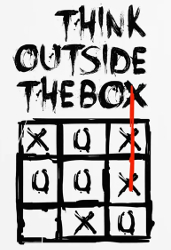
I often read posts on the BIAB forums complaining about this or that. The software does not perform the way my thoughts perform. It gets to the stage where I think why would I bother with this stuff but, in reality it is not at all that way.
If something does not do what I want, then, what do I want. Two days ago I did a song the bass was not what I wanted (and using BIAB by itself never going to be.) I then used Amplesound Precision Bass to layer up the bass. (Created in Cakewalk and rendered)
Then I went back to BIAB and generated another 16 bars of drum fills (yep blue to blue, then green to green, then green to blue and blue to green and then some.)
I then pulled all the parts into a Reaper where I chopped, channeled and sculpted my way to a track that I thought worked. The next day got up listened again and in the clear light of day and thought I should chop out some parts to make dancing easier (for a concert I prefer what I had but for dancing the bar count was not as good as it should be.)
Now I have a song I’m proud of. Very simple olde style rock and roll. Did it happen out of the box? No. But, I learnt many years ago songs rarely work out on first attempts.
With the history of the song above it only took a short time to generate another song similar tempo and feel, different chords and key. But much of what I spent my time on could be reused.
Just a thought from a tired old wasted musician.
Tony
HP i7-4770 16GB 1TB SSD, Win 10 Home, Focusrite 2i2 3rd Gen, Launchkey 61, Maton CW80, Telecaster, Ovation Elite TX, Yamaha Pacifica 612 BB 2022(912) RB 2022(2), CakeWalk, Reaper 6, Audacity, Melodyne 5 Editor, Izotope Music Production Suite 4.1
Just a thought from a tired old wasted musician. Tony
I beg to differ. Anybody thinking that far outside of the square is neither tired, nor too old.
This is a great appraisal, Tony.
BiaB gave you a foundation to work with, which you then enhanced to improve it to suit your liking, no?
Not a lot got wasted, in my opinion.
BIAB & RB2026 Win.(Audiophile), Windows 10 Pro & Windows 11, Cakewalk Bandlab, Izotope Prod.Bundle, Roland RD-1000, Synthogy Ivory, Session Keys Grand S & Electric R, Kontakt, Focusrite 18i20, KetronSD2, NS40M, Pioneer Active Monitors.
Tony I think that is one of the best post I have read in a while. I often think when reading through threads here I remember when I was little I would complain about my food , maybe that the meat was cut up in big chucks, and I wanted smaller ones. Well my mom would say “do you want me to chew it for you too?” In other words fix it yourself.
You see people complaining (I have been guilty as well) that the program does not do exactly what they want or they want to do everything inside one program, or what if it did this or that! Just 60 years ago the folks had to play everything live and 4 track recording was a huge deal. What’s next a computer program where we type in the basic instructions, I want a modern country ballad with a fiddle lead, and it does everything else. It writes the lyrics, chooses the chords and melody, records all the tracks, even vocals, then mixes and masters and distributes and collects the money. All while we sit back and say “see what I created!” Heck BiaB almost does that now.
The other day I was working on a song idea and kind of fussing over the multiriff lead section I had generated. I was thinking this thing is kind of chopped up and doesn’t flow smoothly. I had sent it into Studio one and set up the 7 riffs as layers and comped them till it was close, but it still didn’t seem to flow it seemed like separate little sections that didn’t fully connect together properly. So I opened the comped track in Melodyne heck I didn’t even have to open it and wait for it to load like before I just right clicked the track and chose apply Melodyne. Grabbed a few of the little audio blobs and drug them longer, closing the gaps in a few places and slid one blob up a step or three and boom it sounded like a coherent smooth lead track. I thought hey I can really shred, well my computer can.
If we want our project to really sound great and be what WE want it takes some time and hard work. We might have to actually play a track or two, or use other resources to get that perfect baseline, or drum track.
Anyway just some musing from another tired old dude!
Last edited by Rob Helms; 01/30/2002:24 AM.
HP Win 11 12 gig ram, Mac mini Sonoma with 16 gig of ram, BiaB/RB 2026, Reaper 7, Harrison Mixbus 11 , Presonus Audiobox USB96
For me, BIAB is a tool. If I find myself in a situation, that I would like it to do something and BIAB doesn't seem to do it, I immediately start thinking about "what I have" from BIAB and "what I want" that to become. I then start trying to work out how I might massage the first so that it becomes the second. There's usually a way!
Recently, I wrote a song and I wanted to have more control over the bass. With BIAB's rendered track, I could use either Melodyne in Reaper or I could use the Reaper plugins: Reatune, ReaVoice or ReaPitch.
Alternative, I could take the Bass's notation from BIAB as a MIDI file and then load the MIDI into Reaper and, with a suitable soundfont, or 'Jazz and Big Band 3' (or some other synth) the bass could be generated.
Finally, another option was to create loops of BIAB bass notes for each of the chords and riffs an then use those to give me what I wanted. Loops can be created in BIAB, Realband and Reaper.
I tried the various options on short segments of the bass line to see which one was best for me in my situation. It was fun to play around.
I don't know if this is sufficiently diverse enough to be described as...
...but it's fun to stretch the brain cells -- well what's left of them anyway
Just my 2 cents worth. Noel
P.S I read today that it seems that drinking tea can help stave off dementia. The statistics are amazing.
Tony I think that is one of the best post I have read in a while. I often think when reading through threads here I remember when I was little I would complain about my food , maybe that the meat was cut up in big chucks, and I wanted smaller ones. Well my mom would say “do you want me to chew it for you too?” In other words fix it yourself.
You see people complaining (I have been guilty as well) that the program does not do exactly what they want or they want to do everything inside one program, or what if it did this or that! Just 60 years ago the folks had to play everything live and 4 track recording was a huge deal.
I can very well remember plugging my “crystal mic” yep crystal (for those under 65 it was a little tube with chunks of carbon with a diaphragm at the end the same as the telephone transmitter). Into my amp. The lead singer also plugged into my amp he was my brother and bigger than me. And we thought we had technology beat. Over the screeches you almost heard the singing (ahh!!! We were made)
I’ll repeat, we are only restricted by our own imagination. (I even managed to get squeaks out of an 8086 if you can remember that far back.)
Tony
HP i7-4770 16GB 1TB SSD, Win 10 Home, Focusrite 2i2 3rd Gen, Launchkey 61, Maton CW80, Telecaster, Ovation Elite TX, Yamaha Pacifica 612 BB 2022(912) RB 2022(2), CakeWalk, Reaper 6, Audacity, Melodyne 5 Editor, Izotope Music Production Suite 4.1
I even managed to get squeaks out of an 8086 if you can remember that far back.
Hey, don't feel bad! Although I never, ever used one, I read circuits that used the 4004. (WhatAreYaTalkinAbout64bit? )
BIAB & RB2026 Win.(Audiophile), Windows 10 Pro & Windows 11, Cakewalk Bandlab, Izotope Prod.Bundle, Roland RD-1000, Synthogy Ivory, Session Keys Grand S & Electric R, Kontakt, Focusrite 18i20, KetronSD2, NS40M, Pioneer Active Monitors.
Yes, it's a little 'alien' looking, isn't it? We've come a long way in a very short time. Then and now.
BIAB & RB2026 Win.(Audiophile), Windows 10 Pro & Windows 11, Cakewalk Bandlab, Izotope Prod.Bundle, Roland RD-1000, Synthogy Ivory, Session Keys Grand S & Electric R, Kontakt, Focusrite 18i20, KetronSD2, NS40M, Pioneer Active Monitors.
From our earliest explorations of RTs and RDs we’ve felt the simple fact that they can be regenerated (with different results) begs for DAW comping (cut/paste). Comping at the bar or even note level yields tracks that are much more supportive of one another and particularly the vocals. The possibilities are literally limitless...and it’s fun.
J&B
Our albums and singles are on Spotify, Apple Music, Amazon Music, YouTube Music, Pandora and more. If interested search on Janice Merritt. Thanks! Our Videos
Band-in-a-Box is a tool kit. You can't expect tools to do the work for you, but if you learn how to use the tools, you can do quite a bit with the BiaB tool kit.
But like any tool, you have to know it's advantages, it's limititations, how to use it, and use it for what it is best designed for.
Band-in-a-Box is a tool kit. You can't expect tools to do the work for you, but if you learn how to use the tools, you can do quite a bit with the BiaB tool kit.
But like any tool, you have to know it's advantages, it's limititations, how to use it, and use it for what it is best designed for.
Insights and incites by Notes
Yeah what he said!
HP Win 11 12 gig ram, Mac mini Sonoma with 16 gig of ram, BiaB/RB 2026, Reaper 7, Harrison Mixbus 11 , Presonus Audiobox USB96
Band-in-a-Box is a tool kit. You can't expect tools to do the work for you, but if you learn how to use the tools, you can do quite a bit with the BiaB tool kit.
But like any tool, you have to know it's advantages, it's limititations, how to use it, and use it for what it is best designed for.
Insights and incites by Notes
Yeah what he said!
Ditto!
Life is short so make sure you spend as much time as possible on the Internet arguing with strangers.
64 bit Win 10 Pro, the latest BiaB/RB, Roland Octa-Capture audio interface, a ton of software/hardware
There are limits to what BIAB can do. That being said those limitations typically have more to do with the creativity of the user than the tool itself.
If someone ONLY relies on the sounds in a specific style; and only uses whatever the first generation of that style would be...that's not the programs fault. It's like placing your finger on the C key on a piano, repeatedly only striking that note and complaining the piano doesn't do enough.
Then you have the person who not only plays the additional notes on the keyboard; but goes into the piano and starts plucking the strings, tapping on various part of the body, and/or adds distortion to get all sorts of sounds you wouldn't traditionally think of.
The same instrument different people. Such is BIAB.
The showcase has many examples of what is possible with creativity. It's impressive, IMO. If you aren't getting it to do what you want, don't blame. Learn. That's why I'm here. lol
Thanks for the topic Teunis!
(using text to speech so there may be errors.)
Last edited by HearToLearn; 01/30/2007:05 AM.
Chad (Hope that makes it easier)
TEMPO TANTRUM: What a lead singer has when they can't stay in time.
Noel96, some people do not realise that in Reaper to alter the pitch of a note is extremely easy. Select the note and (off memory) shift 9 or shift 0 for a semitone you can find it in the Actions List. Shift 7 and 8 for a cent. This assumes that the Reaper Shortcut Key settings have not been altered in the Action List but just search for pitch in the action list. I find this quicker than going back to BIAB in case of a key change to the whole song. Or indeed quicker and simpler than going into Melodyne for a few notes. After all it is possible to do this on the fly.
It is also very simple to move notes. The stretching I don’t like that much as it is very easy to get unwanted artefacts.
I write this because some folks are unaware that these tasks are very simple in Reaper.
Of course if you are changing one note within a chord the Melodyne it is.
Tony
Last edited by Teunis; 01/30/2012:53 PM.
HP i7-4770 16GB 1TB SSD, Win 10 Home, Focusrite 2i2 3rd Gen, Launchkey 61, Maton CW80, Telecaster, Ovation Elite TX, Yamaha Pacifica 612 BB 2022(912) RB 2022(2), CakeWalk, Reaper 6, Audacity, Melodyne 5 Editor, Izotope Music Production Suite 4.1
Great points all. BIAB is intelligent, but it doesn't read minds. It delivers fantastic parts and ideas, but it remains to the "bandleader" (you and me) to choose how to use them, and to learn how that might be done.
The only thing I pretty much do every time religiously is make a copy of the song-file (as easy in Windows as copy/paste in the same folder) and either 1. Add extensions and/or slash chords. 2. Add new instruments/real tracks, midi, drums. 3. Create new sections, such as intros, endings, true change-up bridges, and/or short rhythmical passages.
Then loading all to DAW in such a way that working with all those tracks is not too cumbersome, putting on the "producer" hat, and building the song. Cut, paste, move, pitch-shift, whatever to get where you want to go.
Fortunately for me, I am just the band-leader, not the BAND. BIAB delivers not just tracks, but IDEAS. Listen to the band.
I don't really enjoy "mixing", but I do very much enjoy "producing". In truth, I'm already "producing" even while I'm in BIAB...thinking about making that call to the Sax player in RT whatever, or how to best utilize what the Band is giving me.
Last Chance! The Band-in-a-Box® 2026 for Mac® Special Ends Today (May 31, 2026) at 11:59pm PDT!
Time really is running out! Save up to 50% on Band-in-a-Box® 2026 for Mac® upgrades and receive a FREE Bonus PAK—only when you order by 11:59 PM PDT today!
We've added many major new features and new content in a redesigned Band-in-a-Box® 2026 for Mac®!
Version 2026 introduces a modernized GUI redesign across the program, with updated toolbars, refreshed windows, smoother workflows, and a new Dark Mode option. There’s also a new side toolbar for quicker access to commonly used windows, and the new Multi-View feature lets you arrange multiple windows as layered panels without overlap, making it easier to customize your workspace.
Another exciting new addition is the amazing new AI-Notes feature, which can transcribe polyphonic audio into MIDI. View the results in notation or play them back as MIDI, and choose whether to transcribe an entire track or transcribe specific parts like drums, bass, guitars/piano, or vocals. There's over 100 new features in Band-in-a-Box® 2026 for Mac®.
There's an amazing collection of new content too, including 202 RealTracks, new RealStyles, MIDI SuperTracks, Instrumental Studies, “Songs with Vocals” Artist Performance Sets, Playable RealTracks Set 5, two RealDrums Stems sets, and much more!
Upgrade your Band-in-a-Box for Mac® to save up to 50% on most Band-in-a-Box® 2026 upgrade packages!
Plus, when you order your Band-in-a-Box® 2026 Mac upgrade during our special, you'll receive a Free Bonus PAK of exciting new add-ons.
If you need any help deciding which package is the best option for you, just let us know. We are here to help!
Band-in-a-Box® 2026 Mac Special Offers Extended Until May 31st!
Good news- we've extended our Band-in-a-Box® 2026 for Mac® special offers until May 31, 2026!
Band-in-a-Box® 2026 is packed with major new features, enhancements, and an incredible lineup of new content! The program now sports a sleek, modern GUI redesign across the entire interface, including updated toolbars, refreshed windows, smoother workflows, a new dark mode option, and more. The brand-new side toolbar provides quicker access to key windows, while the new Multi-View feature lets you arrange multiple windows as layered panels without overlap, creating a flexible, clutter-free workspace. We have an amazing new “AI-Notes” feature. This transcribes polyphonic audio into MIDI so you can view it in notation or play it back as MIDI. You can transcribe an entire track (all pitched instruments and drums) or focus on individual parts like drums, bass, guitars/piano, or vocals. There's an amazing collection of new content too, including 202 RealTracks, new RealStyles, MIDI SuperTracks, Instrumental Studies, “Songs with Vocals” Artist Performance Sets, Playable RealTracks Set 5, two RealDrums Stems sets, and much more!
There are over 100 new features in Band-in-a-Box® 2026 for Mac®.
When you order purchase Band-in-a-Box® 2026 before 11:59 PM PDT on May 31st, you'll also receive a Free Bonus PAK packed with exciting new add-ons.
Check out the Band-in-a-Box® for Mac packages page to find the best package for you.
Today's the Last Day of the Band-in-a-Box 2026® for Mac Special!
Order before 11:59pm PDT today (May 15, 2026) to save up to 50% off your Band-in-a-Box® 2026 for Mac® upgrade and receive a FREE Bonus PAK loaded with great new Add-ons to use with this new version!
Band-in-a-Box® 2026 for Mac - Special Offers End at 11:59pm PDT on Friday, May 15th, 2026!
Order before 11:59pm PDT on Friday, May 15th and SAVE up to 50% on most Band-in-a-Box® version 2026 for Mac Upgrade packages... and that's not all! With your version 2026 for Mac purchase, we'll include a Bonus PAK full of great new Add-ons FREE! Upgrade to the 2026 49-PAK to receive even more NEW Add-ons including 20 additional RealTracks... that's 222 NEW RealTracks available with version Band-in-a-Box® 2026 for Mac!
Upgrade to Band-in-a-Box® 2026 for Mac® today for as little as $49! Check out the Band-in-a-Box® packages page for all available purchase options.
Learn more about the Free Bonus PAK and 49-PAK here.
If you have any questions about which package is the best option for you, just let us know. We're here to help!
202 New RealTracks Released with Band-in-a-Box 2026!
With Band-in-a-Box® 2026, we've released 202 incredible new RealTracks (in sets 468-488) in a variety of genres—featuring your most requested styles!
Jazz, Funk & World (Sets 468-475):
Our new jazz, funk & blues RealTracks include a groovin’ collection of RealTracks and RealDrums! These include more requested “soul jazz” RealTracks featuring artists Neil Swainson (bass), Charles Treadway (organ), Brent Mason (guitar), and Wes Little (drums). There are new “smooth jazz” styles (4), which include a RealTracks first: muted trumpet, as well as slick new smooth jazz brushes options for drums. Blues lovers will be thrilled—there are more “classic acoustic blues” styles, including guitar (5), bass (4), and drums (10) with blues master Colin Linden, featuring understated and tasty background acoustic soloing, plus brushes drums and acoustic bass. There are also new electric blues RealTracks, including electric blues with PG favorite Johnny Hiland (3) and soulful electric slide guitar from Colin Linden (4). If you love funk & gospel, there are great new options this year, including gospel organ (3) from Charles Treadway, as well as new funk, tango, and rock ’n’ roll drums (3) and bass (1). And for big, bold arrangements, we have uptempo soul horns (4) featuring a three-part hip horn section with options for a full mix or stems of each individual horn — plus an accompanying rhythm section (4) of drums, bass, guitar, and electric piano!
Rock & Pop (Sets 476–482):
Our new rock & pop RealTracks bring a powerful mix of requested favorites, fresh genres, and modern chart-inspired styles! We have more of our popular “Producer Layered Acoustic Guitars (15)” featuring Band-in-a-Box favorite Brent Mason. We’ve continued our much-requested disco styles (10), and added new Celtic guitar (5) with a more basic, accessible approach than our previous Drop-D or DADGAD offerings. There are also highly requested yacht rock styles (17), inspired by the smooth, polished soft-rock sound of the late ’70s and early ’80s — laid-back grooves, silky electric pianos, warm textures, elegant harmonic movement, and pristine production aesthetics. Fans of heavier styles will love our new glam metal (13), capturing the flashy, high-energy sound of ’80s arena-ready guitar rock. We also have a set of rootsy modern-folk rock (18), with a warm, organic sound combining contemporary folk textures and driving acoustic strumming. And we’ve added lots of new modern pop styles (16) — the kinds of sounds you’re hearing on the radio today, featuring exciting new drums, synths, and cutting-edge RealTracks arrangements.
Country, & Americana (Sets 483–488):
Our new country & Americana RealTracks deliver a rich collection of acoustic, electric, and roots-inspired styles! We have new country pop (9) with legendary guitarist Brent Mason. There is also a potpourri (14) of bouzouki, guitars, banjo, and more, perfect for adding texture and character to contemporary acoustic arrangements. We’ve added funky country guitar (5) with PG favorite Brent Mason, along with classic pedal steel styles (5) featuring steel great Doug Jernigan. There are more country songwriter styles (8) that provide intimate, rootsy foundations for storytelling and modern Americana writing. Finally, we have “background soloing” acoustic guitar (12) with Brent Mason — simpler, but still very tasty acoustic lines designed to sit beautifully behind vocals or act as a subtle standalone solo part.
And, if you are looking for more, the 2026 49-PAK (for $49) includes an impressive collection of 20 bonus RealTracks, featuring exciting and inspiring additions to add to your RealTracks library. You'll get new country-rhythm guitar styles from PG Music favorites Johnny Hiland and Brent Mason, along with modern-pop grooves that capture today’s radio-ready sound! There are also new indie-folk styles with guitar, bass, 6-string bass used as a high-chording instrument, acoustic guitar, and banjo. Plus, dedicated "cymbal fills" RealDrums provide an added layer that work very well with low-key folky styles with other percussion.
The 2026 49-PAK is loaded with other great new add-ons as well. Learn more about the 2026 49-PAK!
2026 Free Bonus PAK & 49-PAK for Band-in-a-Box® 2026 for Mac®!
With your version 2026 for Mac Pro, MegaPAK, UltraPAK, UltraPAK+, Audiophile Edition or PlusPAK purchase, we'll include a Bonus PAK full of great new Add-ons for FREE! Or upgrade to the 2026 49-PAK for only $49 to receive even more NEW Add-ons including 20 additional RealTracks!
These PAKs are loaded with additional add-ons to supercharge your Band-in-a-Box®!
This Free Bonus PAK includes:
The 2026 RealCombos Booster PAK:
-For Pro customers, this includes 27 new RealTracks and 23 new RealStyles.
-For MegaPAK customers, this includes 25 new RealTracks and 23 new RealStyles.
-For UltraPAK customers, this includes 12 new RealStyles.
MIDI Styles Set 92: Look Ma! More MIDI 15: Latin Jazz
MIDI SuperTracks Set 46: Piano & Organ
Instrumental Studies Set 24: Groovin' Blues Soloing
Artist Performance Set 19: Songs with Vocals 9
Playable RealTracks Set 5
RealDrums Stems Set 9: Cool Brushes
SynthMaster Sounds Set 1 (with audio demos)
iOS Android Band-in-a-Box® App
Looking for more great add-ons, then upgrade to the 2026 49-PAK for just $49 and you'll get:
20 Bonus Unreleased RealTracks and RealDrums with 20 RealStyle.
FLAC Files (lossless audio files) for the 20 Bonus Unreleased RealTracks and RealDrums
MIDI Styles Set 93: Look Ma! More MIDI 16: SynthMaster
MIDI SuperTracks Set 47: More SynthMaster
Instrumental Studies 25 - Soul Jazz Guitar Soloing
Artist Performance Set 20: Songs with Vocals 10
RealDrums Stems Set 10: Groovin' Sticks
SynthMaster Sounds & Styles Set 2 (sounds & styles with audio demos)
One of our representatives will be happy to help you over the phone. Our hours of operation are from
6:00AM to 6:00PM PST (GMT -8) Monday thru Friday, and 8:00AM to 4:00PM PST Saturday. We are closed Sunday. You can also send us your questions via email.
One of our representatives will be happy to help you on our Live Chat or by email. Our hours of operation are from
6:00AM to 6:00PM PST (GMT -8) Monday thru Friday; 8:00AM to 4:00PM PST (GMT -8) Saturday; Closed Sunday.







 )
)





 Dansk
Dansk Deutsch - Windows
 Español
 Français - Windows
 Italiano - Windows
 Nederlands
 Polski
 Português
 Svenskt
 русский
 Japanese
 Simplified Chinese
 Traditional Chinese
 Korean