Thanks Peter, yes going good. Love you guys and Biab, I hope there's some ideas there that will help Biab grow and be loved even more. It's a shame Apple have to stuff up developers every five minutes by changing things so apps don't work anymore causing developers to spend so much extra time on the Mac apps for every different Mac OS, Windows aims to keep all apps working on the rare occasion of the release of a new OS, not on a weekly basis. It would be a miracle of miracles if Apple fixed it so apps keep working, maybe Elon needs to get on it.
I'm really enjoying playing with these features Pipeline. I'm not finding things always working right, but its a wonderful tool, many thanks for your hard work.
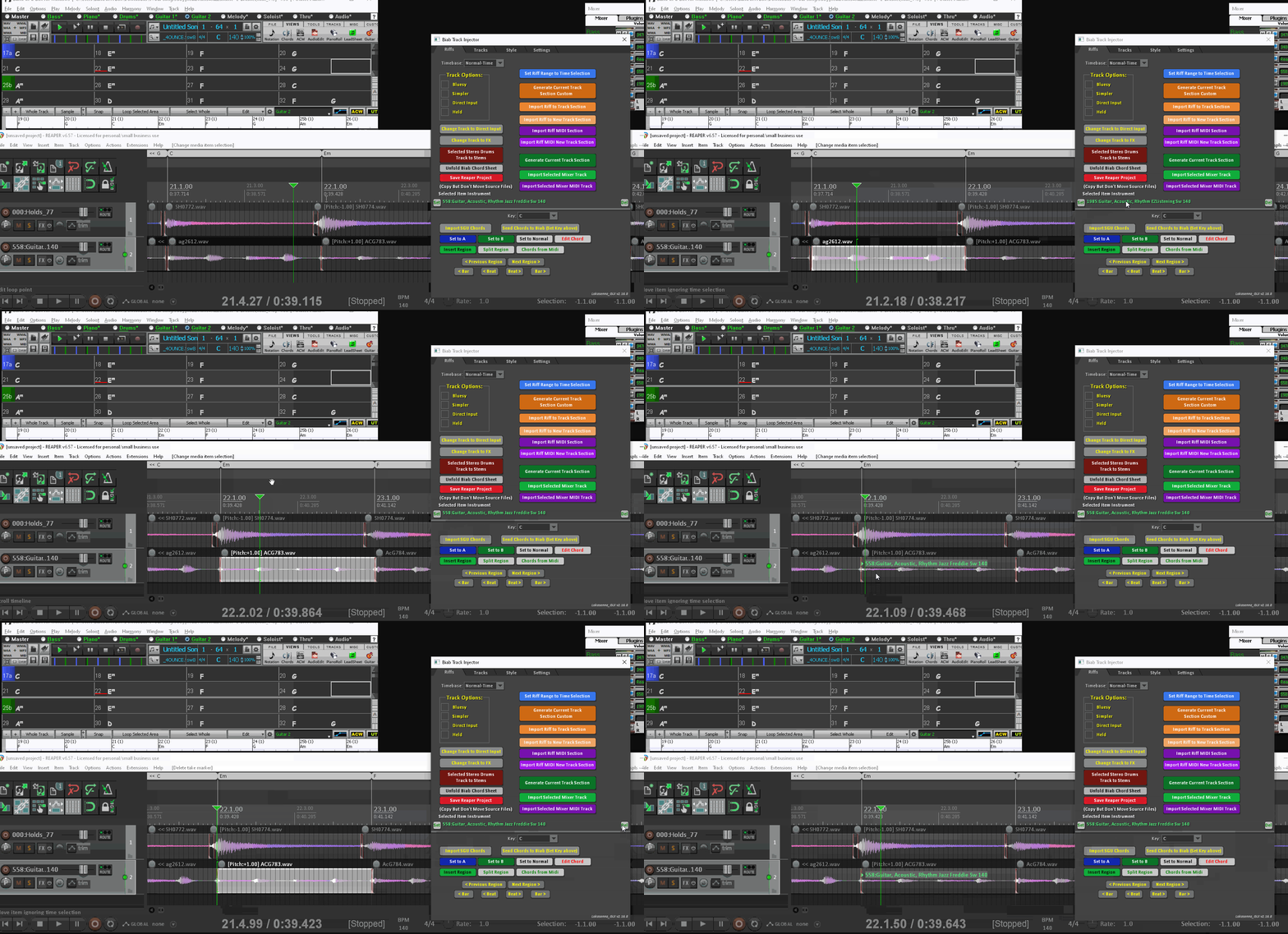
Thanks Andrew, you will get used to it, it uses a few workarounds using AutoHotkey. Hopefully we can get this integrated into the BBPlugin, it will be even quicker then. For Reaper users it could also inject the tracks directly into the Reaper tracks as the BBPlugin has access to the Reaper API to do all the things that can be done with scripting like getting the tempo map, reading/inserting chord markers/regions, insert the Biab source media files etc...
Nova Scotia, I remember that great film "Maudie" about the folk artist from there, my Mum is from Toronto.
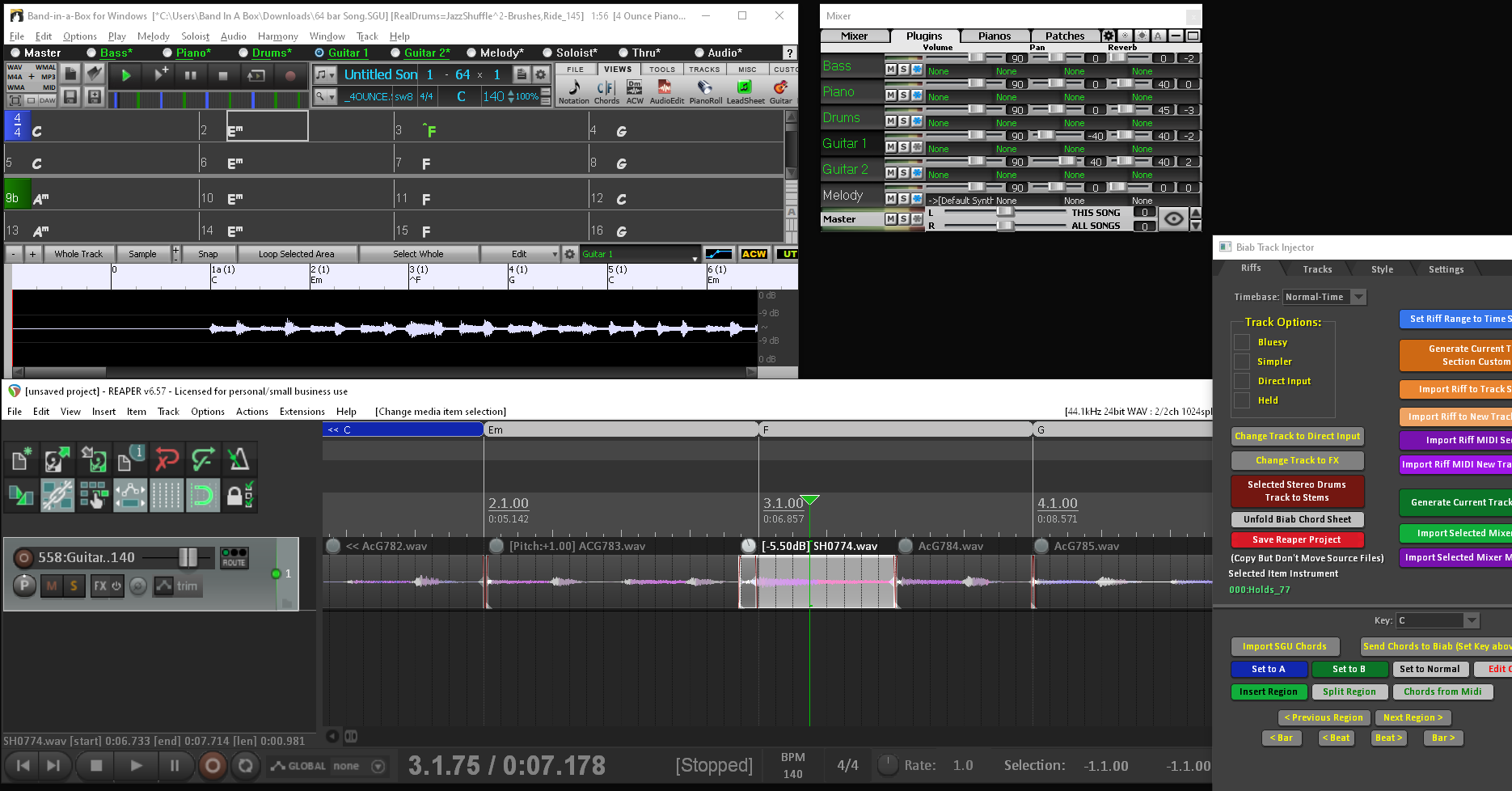
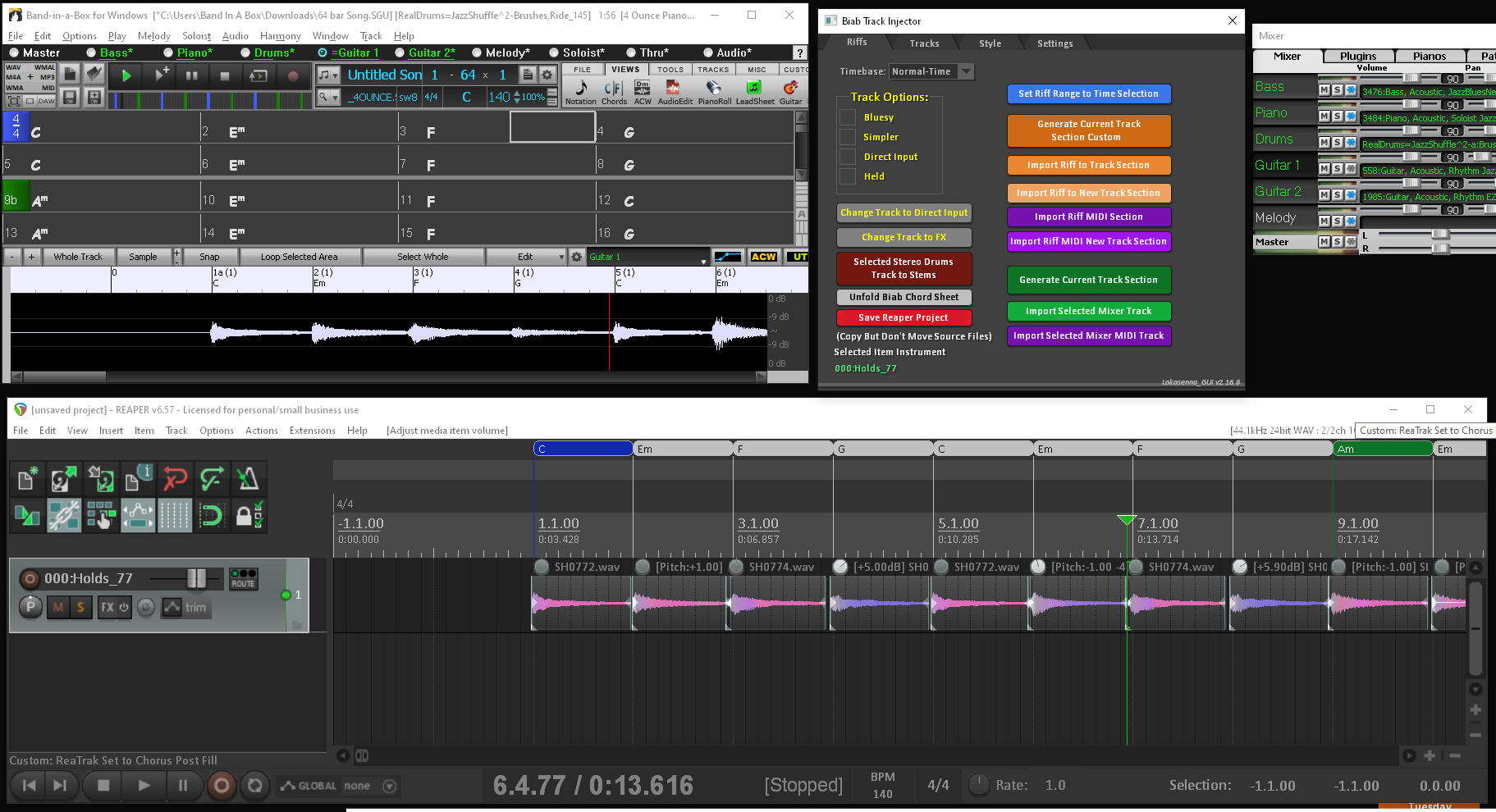
With a consolidated wav file you don't have the control like the individual track segments. Below you can adjust the timing, volume or length as well as stretching it so it plays a slow strum. You have total control of what is played and where. Sure if you are up on stage with Biab backing or don't use a DAW it won't help but if you are just creating up songs/tracks then this will give you the control that you need.
Now again, if you select the "Held" option for a RealTrack it will play the Holds. You can also easily adjust the strum speed by selecting all the items on the track then right click Item properties and change the Playback rate. You can't do this with a consolidated wav file.
Segmented sections vs Consolidated When the Biab track data is injected directly into Reaper it's lot quicker than rendering and you can adjust any track segment or delete and replace with a new section but the consolidate rendered wav file you can't do much with it.
I have proceeded as the video tells me. when i open track injector in reaper and try to create rt list reaper stalls and track injector shows not responding.
running 923 biab. biab is open ,mixer is floating and rt list is open in biab.
could you give me any advice please. i would really love to get working with track injector. Thanks for any advice you may be able to give.
rebuilt styles,songs and real tracks. win 10...amd a10 radeon r6 4c+6g 1.8ghz 64 bit hp envy biab 2023 with 1004 build. styles 1 to 429 plus extras 1,2,3,4 and 6. running as admin,cleaned up returned to factory settings.
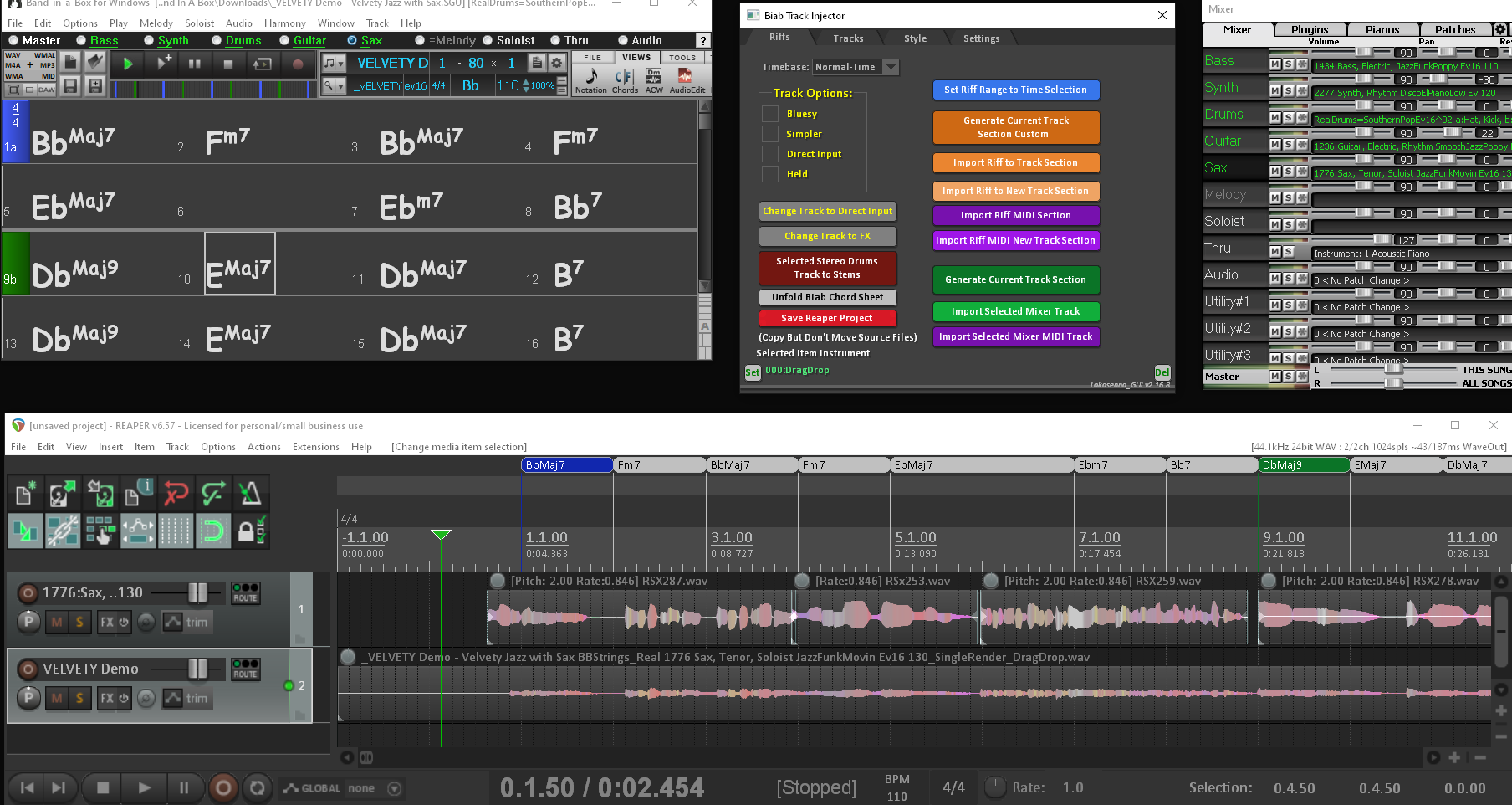
Here's your Biab Live Arranger playing wma direct https://www.dropbox.com/s/g28fd8zss4me8h8/Biab-Live-Arranger-WMA.mp4?dl=0 you just need to put it in an easy programmed crossplatform language so you don't spend half the year on Win and the other half on Mac. It just needs to be basic without all the Biab features. When the user loads a style it just loads all the track data for those RTs and plays the user's chord input back direct from the wma/wav source file sections that are referenced in the data. Or you can just wait till Yamaha do it.
It does seem that they've now all but perfected the implementation of the very concept which many on here have been suggesting PG could've (should've!) done ages ago. It even promises to include 'Unique' Soloists!
I have seen so many posts posted here for years showing PG clearly how this can be done, but the response from PG has been "we can't do this with Biab because of old users with old computers" or zero response at all that is most of the time, so the technology must not surpass that of old user's hardware, so basically stay 20 years behind ?
Other companies come here to get ideas that are posted here and they implement them long before PG ever get around to it, I have seen this over n over. I have seen PG delete posts that clearly outline issues where users are trying to help to make it better. So if you tell the truth you get cancelled. You don't get this on the Reaper forum where users can openly criticize and not get cancelled. You need to appreciate constructive criticism, so speak up and "engage" with users and not take them for granted. As been stated there is so much info that has been posted here clearly showing how well it works way better in speed and ease giving way more control, way ahead of how Biab has been working and is currently working but just seems to fall on deaf ears with zero engagement from PG, I can see how this can be very discouraging for users. PG needs to spend time away from Biab on other software, see how it works, how smooth and easy things are etc.. rather than being stuck in a bubble. Other users need to study whats been posted and try it out for themselves and not wait years for PG to hold their hand and give them the OK.
Did you find any solution for the problem with the BIAB injector hanging/crashing in Reaper?
I am just trying to install the Reaper BIAB Injector. I have gone through all steps in the instructions and the instruction videos several times but I still can't get it to work. It looks like it behaves in a similar way as in your description above.
I have my BIAB on another disk not the C disk. I wonder if that could be a problem. The BIAB Injector GUI starts fine in Reaper. But when I am going to settings and trying to “browse folder for reapeak”s or “create RT list or RD list” Reaper hangs and crashes.
BIAB 2026, Studio Pro 8, Song Master Pro, Win11 Home. i7-9700K CPU, 32GB, ESI MAYA44eX, ZOOM UAC-2, Guitar Pro 8, Transcribe, (EZKeys2, EZD3, SD3, EZBass, EZMix3) Amateur: fiddle, guitar, vocal, beginner on bass.
"“browse folder for reapeak”s or “create RT list or RD list” Reaper hangs and crashes." You shouldn't need to batch create the reapeaks it should do it as you go, it's just a bit quick if you have the peaks already, but I think you just browse for the RealTracks then Drums folder then it should scan all sub directories and create reapeak files for the audio file type you are using that it is set to in the dropdown. The create list you can do that manually by clicking the button in the RT and RD pickers, the Copy List button at the "Copy List" bottom of RT & RD picker windows, the text file will save to c:\bb\Data\RealTracksList.txt c:\bb\Data\RealDrumsList.txt or whatever drive you have BB set on in the injector settings tab. It probably freezes because the little notice that BB gives to say it's finished creating the txt file list goes behind the picker window as it will take a while to create the list. Remember you can end task autohotkey that is running in the system tray if you get a lockup.
**Make sure you have all the tracks showing with no filters set so you get a complete list of tracks and drums.
Another thing I can't remember if it was mentioned, is before you create reapeaks move the Data folder out of x:\bb\RealTracks\Data to the root directory then move it back after the peaks are made else it will make up all peak files for the wma demos.
Thanks for the help. I have checked all the points above. I have got a bit further on way now.
It seemed to be the AutoHotKey that got stuck in the “User Account Control”. So now I am able to create the RT & RD lists. And to communicate between BIAB and Reaper for some functions eg. Start, stop, regenerate… works fine.
But I still have problems trying to import the tracks.
It worked once for one style (RT & RD) but not for another styles and only when I imported the tracks one by one. Then I was able to import each track both audio and midi to reaper. If I use only midi styles (midi instruments) it works fine. But when I try it again with the same song same style (RT & RD) it no longer works and it is the same problem with other styles.
Reaper hangs/crashes when trying to import the track from BIAB. It gets quite a bit on the way, I can se the audio wave building up in Reaper, but then it crashes with the message... It works fine with the drum track but not for any of the other RT tracks.
... “Building Peaks (no response)”
Also when I am trying to "Browse folder for Reapeaks" it still crashes with the log:
--------- Error: Biab track injector GUI.lua:3015: attempt to call a nil value (field 'JS_Dialog_BrowseForFolder')
Stack traceback: ReaTrak_Core.lua:93: in field 'JS_Dialog_BrowseForFolder' Biab track injector GUI.lua:3015: in function 'reapeaks_folder_btn_click' Class - Button.lua:138: in method 'onmouseup' ReaTrak_Core.lua:887: in field 'Update' ReaTrak_Core.lua:440: in field 'Main_Update_Elms' ReaTrak_Core.lua:307: in function <...rs\hakan\AppData\Roaming\REAPER\Scripts\ReaTrak_Core.lua:303> [C]: in function 'xpcall' ReaTrak_Core.lua:303: in function <...rs\hakan\AppData\Roaming\REAPER\Scripts\ReaTrak_Core.lua:302>
You may have to run Reaper as administrator also so it can run the Autohotkey script if you have Biab running as administrator you will need autohotkey and reaper to run as admin. I'm not using UAC.
With the reapeaks try it on just one realtrack instrument folder only and if it's working you know it will just take a while to do all. Also try and disable UAC just while you try the injector then enable it after to see if it solves issues.
Introducing XPro Styles PAK 11 – Now Available for Windows Band-in-a-Box 2026 and Higher!
XPro Styles PAK 11 for Windows & Mac Band-in-a-Box® version 2026 (and higher) is here with 100 brand new RealStyles, plus 31 RealTracks/RealDrums!
Guess who’s back again? That’s right! It’s our XPro Styles PAK’s triumphant return with the 11th edition in this series! 100 new styles are coming your way spread across the rock & pop, jazz, and country genres. And this edition's wildcard genre explores the immense and far-reaching catalogue of electronic music! The included 31 RealTracks and RealDrums can be used with any Band-in-a-Box® 2026 (and higher) package.
Special offers available until August 31st, 2026!
All the XPro Styles PAKs 1-11 are on sale for only $29 ea (Reg. $49 ea), or get them all in the XPro Styles PAK Bundle for only $149 (reg. $299)! Order now!
XPro Styles PAKs require Band-in-a-Box® 2026 or higher and are compatible with ANY package, including the Pro, MegaPAK, UltraPAK, UltraPAK+, and Audiophile Edition.
Introducing Xtra Styles PAK 22 – Now Available for Windows Band-in-a-Box 2026 and Higher!
Xtra Styles PAK 22 for Windows & Mac Band-in-a-Box version 2026 (and higher) is here with 200 brand new RealStyles!
It’s time to celebrate! Xtra Styles PAK 22 for Band-in-a-Box® is here, and we've got 200 brand-new styles coming your way!
No Xtra Styles PAK is complete without the classic rock & pop, jazz, and country volumes you know and love, and we’ve got plenty to share, with 150 styles spread across too many genres to list! Of course, it also wouldn’t be complete with our special wildcard volume to add a little spice and pizzazz to the mix. This year, because we loved it so much the first time, we’ve decided to make the second iteration of our SynthMaster volume, full of new sounds, interesting genres, and 50 engaging styles, all making use of the diverse SynthMaster plugin! Here you can find genres such as airy yacht rock, sultry electrotango, and even some synth soca funk. Don’t wait, pickup up Xtra Styles PAK 22 today!
In this PAK you can find: dulcet folk ballads, funky gospel country, Brazilian jazz fusion, upbeat 1980s pop, classic Americana, a plethora of breezy bossa novas, indie singer-songwriter, scintillating synthwave, exuberant electronica, and many, many more!
Special offers available until August 31st, 2026!
All the Xtra Styles PAKs 1-22 are on special for only $29 each (reg $49), or get all 22 PAKs for $199 (reg $399)! Order now!
Note: The Xtra Styles require the UltraPAK, UltraPAK+, or Audiophile Edition of Band-in-a-Box®. (Xtra Styles PAK 22 requires the 2026 or higher UltraPAK, UltraPAK+, or Audiophile Edition. They will not work with the Pro or MegaPAK version because they need the RealTracks from the UltraPAK, UltraPAK+, or Audiophile Edition.
Introducing XPro Styles PAK 11 – Now Available for Mac Band-in-a-Box 2026 and Higher!
XPro Styles PAK 11 for Mac & Windows Band-in-a-Box® version 2026 (and higher) is here with 100 brand new RealStyles, plus 31 RealTracks/RealDrums!
Guess who’s back again? That’s right! It’s our XPro Styles PAK’s triumphant return with the 11th edition in this series! 100 new styles are coming your way spread across the rock & pop, jazz, and country genres. And this edition's wildcard genre explores the immense and far-reaching catalogue of electronic music! The included 31 RealTracks and RealDrums can be used with any Band-in-a-Box® 2026 (and higher) package.
Special offers available until August 31st, 2026!
All the XPro Styles PAKs 1-11 are on sale for only $29 ea (Reg. $49 ea), or get them all in the XPro Styles PAK Bundle for only $149 (reg. $299)! Order now!
XPro Styles PAKs require Band-in-a-Box® 2026 or higher and are compatible with ANY package, including the Pro, MegaPAK, UltraPAK, UltraPAK+, and Audiophile Edition.
Introducing Xtra Styles PAK 22 – Now Available for Mac Band-in-a-Box 2026 and Higher!
Xtra Styles PAK 22 for Mac & Windows Band-in-a-Box version 2026 (and higher) is here with 200 brand new RealStyles!
It’s time to celebrate! Xtra Styles PAK 22 for Band-in-a-Box® is here, and we've got 200 brand-new styles coming your way!
No Xtra Styles PAK is complete without the classic rock & pop, jazz, and country volumes you know and love, and we’ve got plenty to share, with 150 styles spread across too many genres to list! Of course, it also wouldn’t be complete with our special wildcard volume to add a little spice and pizzazz to the mix. This year, because we loved it so much the first time, we’ve decided to make the second iteration of our SynthMaster volume, full of new sounds, interesting genres, and 50 engaging styles, all making use of the diverse SynthMaster plugin! Here you can find genres such as airy yacht rock, sultry electrotango, and even some synth soca funk. Don’t wait, pickup up Xtra Styles PAK 22 today!
In this PAK you can find: dulcet folk ballads, funky gospel country, Brazilian jazz fusion, upbeat 1980s pop, classic Americana, a plethora of breezy bossa novas, indie singer-songwriter, scintillating synthwave, exuberant electronica, and many, many more!
Special offers available until August 31st, 2026!
All the Xtra Styles PAKs 1-22 are on special for only $29 each (reg $49), or get all 22 PAKs for $199 (reg $399)! Order now!
Note: The Xtra Styles require the UltraPAK, UltraPAK+, or Audiophile Edition of Band-in-a-Box®. (Xtra Styles PAK 22 requires the 2026 or higher UltraPAK, UltraPAK+, or Audiophile Edition. They will not work with the Pro or MegaPAK version because they need the RealTracks from the UltraPAK, UltraPAK+, or Audiophile Edition.
zplane recently interviewed Peter Gannon, the founder and creator of Band-in-a-Box, about the software's early days, what sets it apart from AI, how zplane's audio algorithms are used in Band-in-a-Box, and more!
Special thanks to the team at zplane for their continued support.
Last Chance! The Band-in-a-Box® 2026 for Mac® Special Ends Today (May 31, 2026) at 11:59pm PDT!
Time really is running out! Save up to 50% on Band-in-a-Box® 2026 for Mac® upgrades and receive a FREE Bonus PAK—only when you order by 11:59 PM PDT today!
We've added many major new features and new content in a redesigned Band-in-a-Box® 2026 for Mac®!
Version 2026 introduces a modernized GUI redesign across the program, with updated toolbars, refreshed windows, smoother workflows, and a new Dark Mode option. There’s also a new side toolbar for quicker access to commonly used windows, and the new Multi-View feature lets you arrange multiple windows as layered panels without overlap, making it easier to customize your workspace.
Another exciting new addition is the amazing new AI-Notes feature, which can transcribe polyphonic audio into MIDI. View the results in notation or play them back as MIDI, and choose whether to transcribe an entire track or transcribe specific parts like drums, bass, guitars/piano, or vocals. There's over 100 new features in Band-in-a-Box® 2026 for Mac®.
There's an amazing collection of new content too, including 202 RealTracks, new RealStyles, MIDI SuperTracks, Instrumental Studies, “Songs with Vocals” Artist Performance Sets, Playable RealTracks Set 5, two RealDrums Stems sets, and much more!
Upgrade your Band-in-a-Box for Mac® to save up to 50% on most Band-in-a-Box® 2026 upgrade packages!
Plus, when you order your Band-in-a-Box® 2026 Mac upgrade during our special, you'll receive a Free Bonus PAK of exciting new add-ons.
If you need any help deciding which package is the best option for you, just let us know. We are here to help!
Band-in-a-Box® 2026 Mac Special Offers Extended Until May 31st!
Good news- we've extended our Band-in-a-Box® 2026 for Mac® special offers until May 31, 2026!
Band-in-a-Box® 2026 is packed with major new features, enhancements, and an incredible lineup of new content! The program now sports a sleek, modern GUI redesign across the entire interface, including updated toolbars, refreshed windows, smoother workflows, a new dark mode option, and more. The brand-new side toolbar provides quicker access to key windows, while the new Multi-View feature lets you arrange multiple windows as layered panels without overlap, creating a flexible, clutter-free workspace. We have an amazing new “AI-Notes” feature. This transcribes polyphonic audio into MIDI so you can view it in notation or play it back as MIDI. You can transcribe an entire track (all pitched instruments and drums) or focus on individual parts like drums, bass, guitars/piano, or vocals. There's an amazing collection of new content too, including 202 RealTracks, new RealStyles, MIDI SuperTracks, Instrumental Studies, “Songs with Vocals” Artist Performance Sets, Playable RealTracks Set 5, two RealDrums Stems sets, and much more!
There are over 100 new features in Band-in-a-Box® 2026 for Mac®.
When you order purchase Band-in-a-Box® 2026 before 11:59 PM PDT on May 31st, you'll also receive a Free Bonus PAK packed with exciting new add-ons.
Check out the Band-in-a-Box® for Mac packages page to find the best package for you.
One of our representatives will be happy to help you over the phone. Our hours of operation are from
6:00AM to 6:00PM PST (GMT -8) Monday thru Friday, and 8:00AM to 4:00PM PST Saturday. We are closed Sunday. You can also send us your questions via email.
One of our representatives will be happy to help you on our Live Chat or by email. Our hours of operation are from
6:00AM to 6:00PM PST (GMT -8) Monday thru Friday; 8:00AM to 4:00PM PST (GMT -8) Saturday; Closed Sunday.







 Dansk
Dansk Deutsch - Windows
 Español
 Français - Windows
 Italiano - Windows
 Nederlands
 Polski
 Português
 Svenskt
 русский
 Japanese
 Simplified Chinese
 Traditional Chinese
 Korean